Product Page PDF for Magento 2
Lets customers download a PDF version of your Magento 2 product pages.
- v100.12.3
- Magento 2.1 – 2.4
- PHP 5.5 – 8.x
- MIT License
- Released Jul 2022

Features
- PDF download of product pages for customers
- Supports all product types in Magento 2
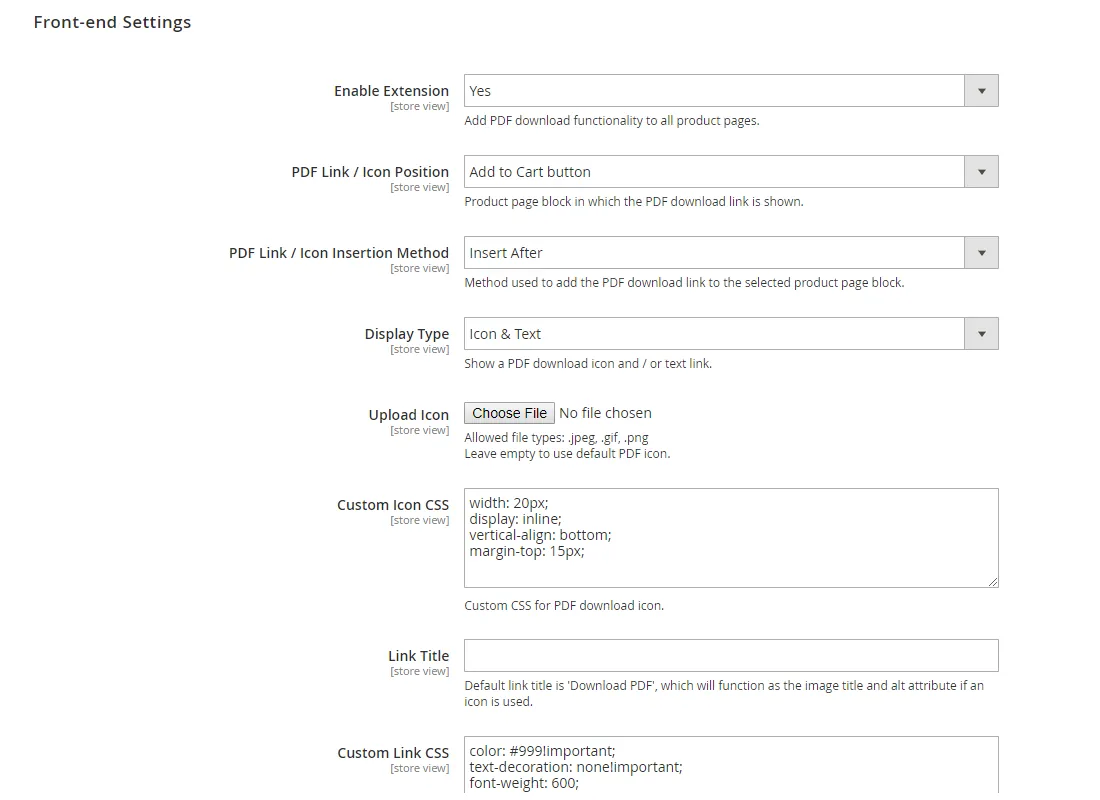
- PDF icon or text link in any product page block
- Configurable PDF layout, content and design
- 40 Google fonts and seven image gallery layouts
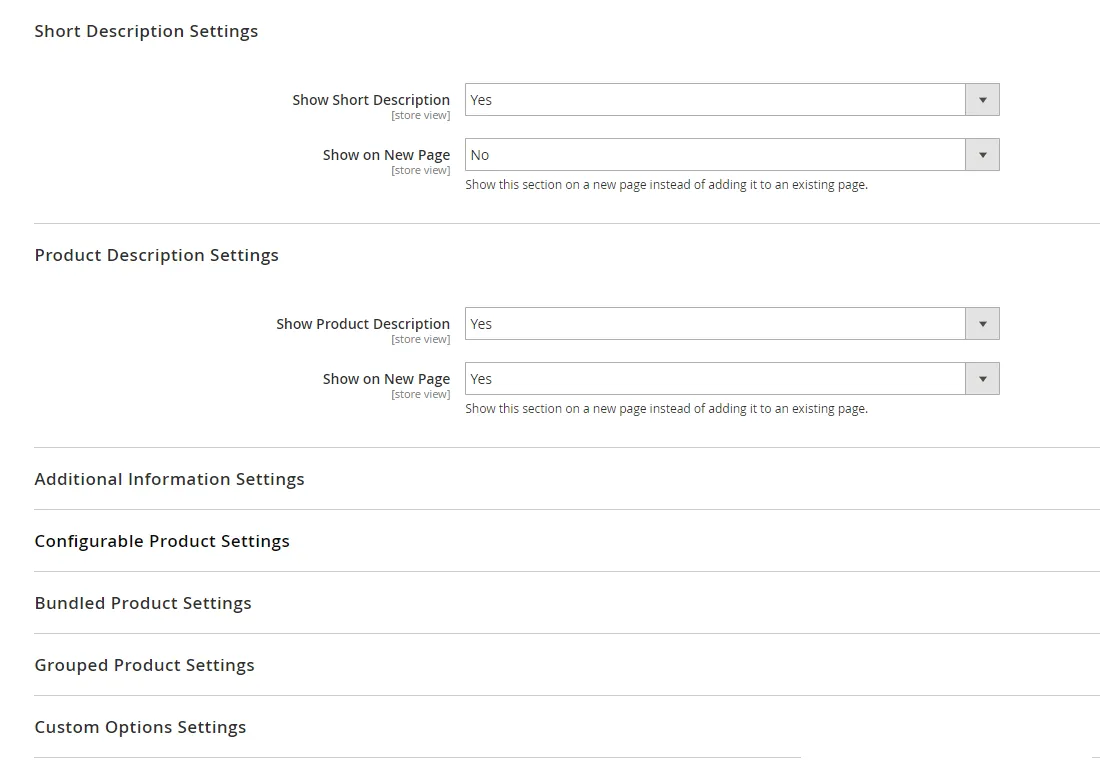
- Show or hide descriptions, images, prices and custom options
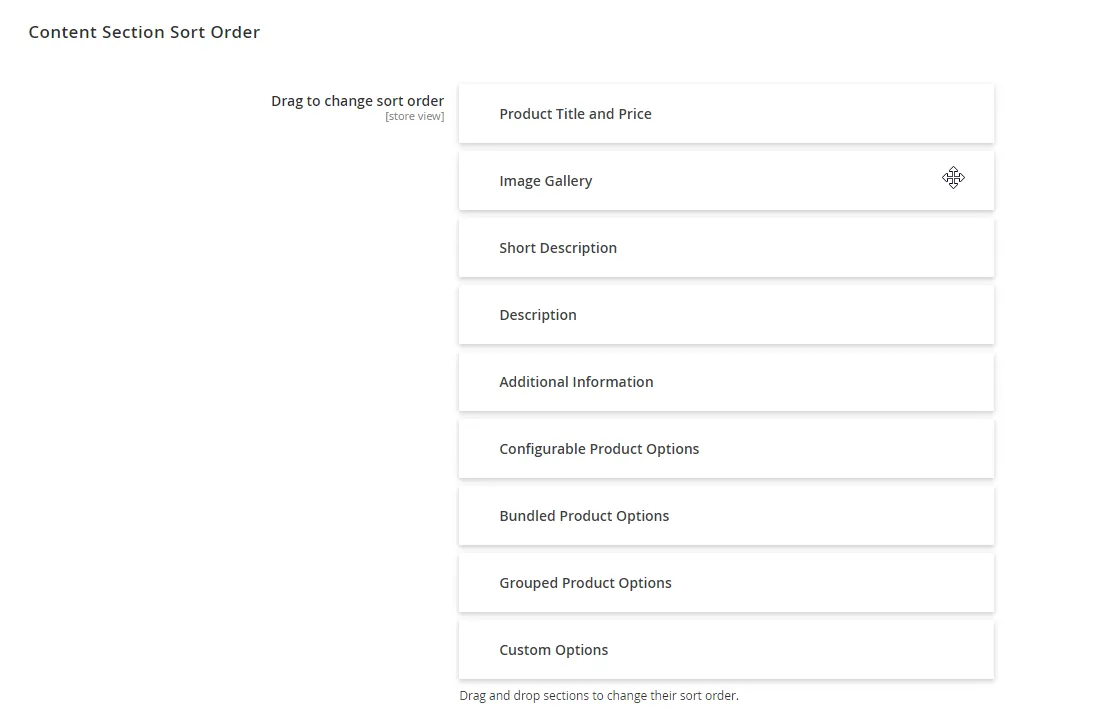
- Drag-and-drop sort order of content sections
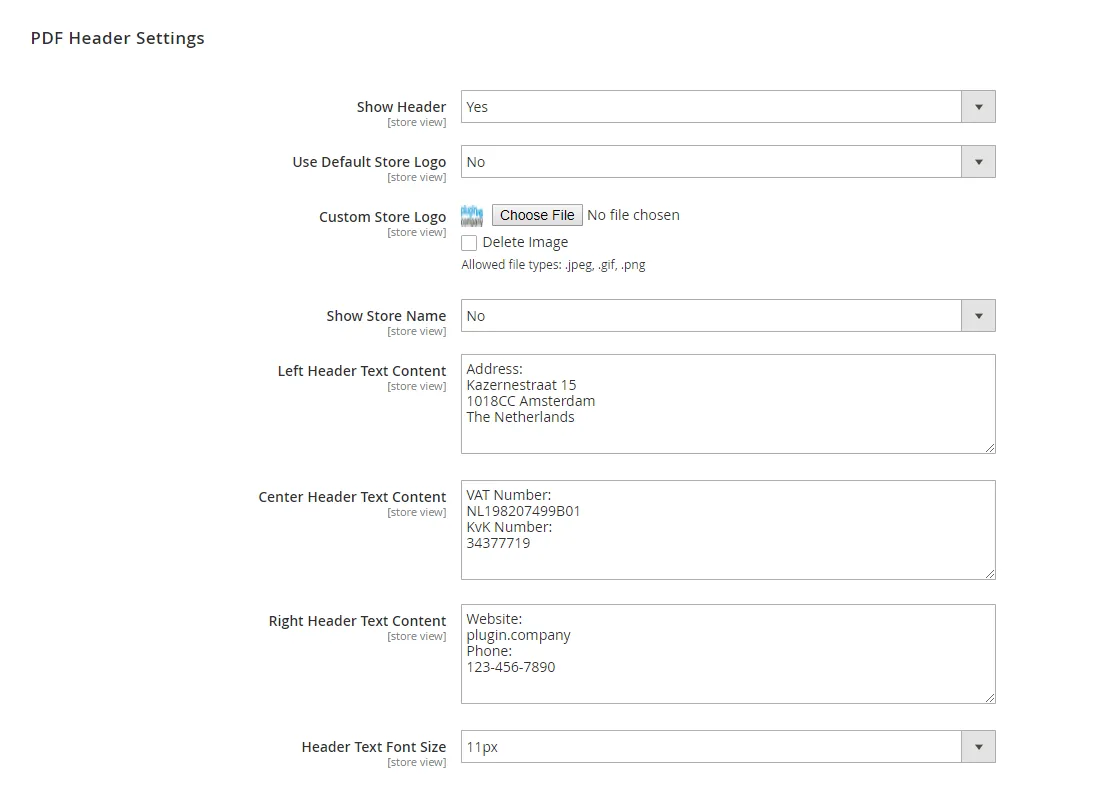
- Header with store logo and custom text columns
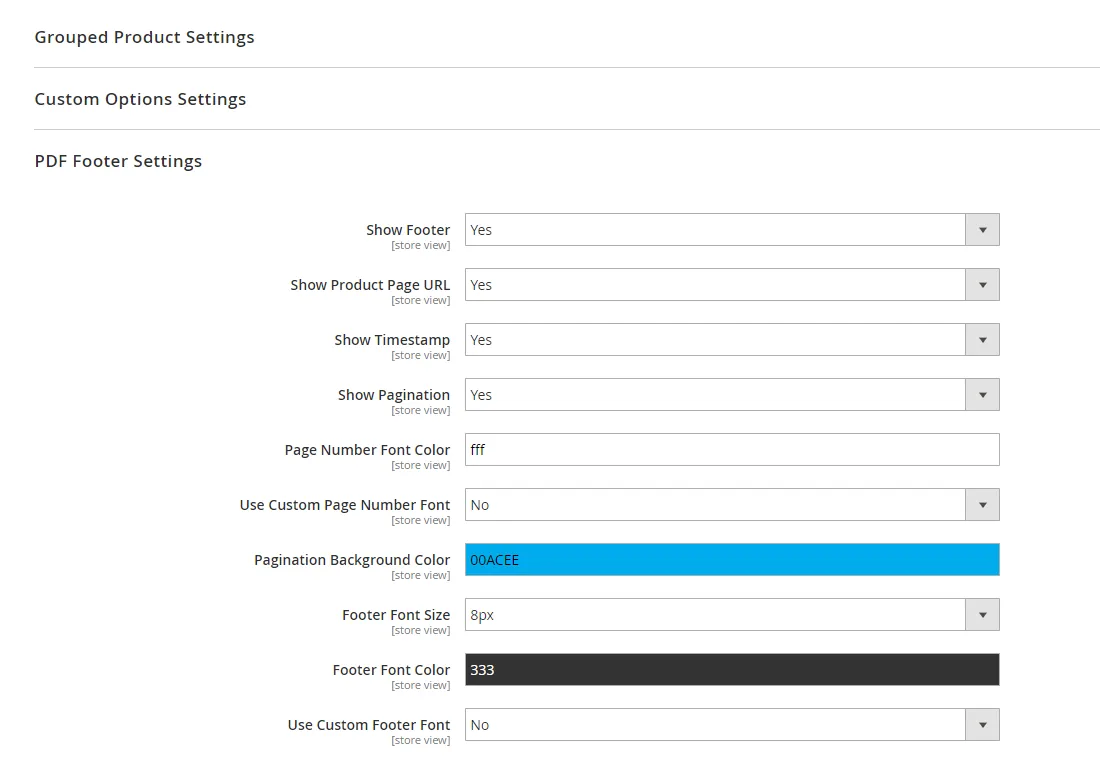
- Footer with product URL, time stamp and page numbers
- QR codes in the header and content area
- PDF download from the product page in the admin
Overview
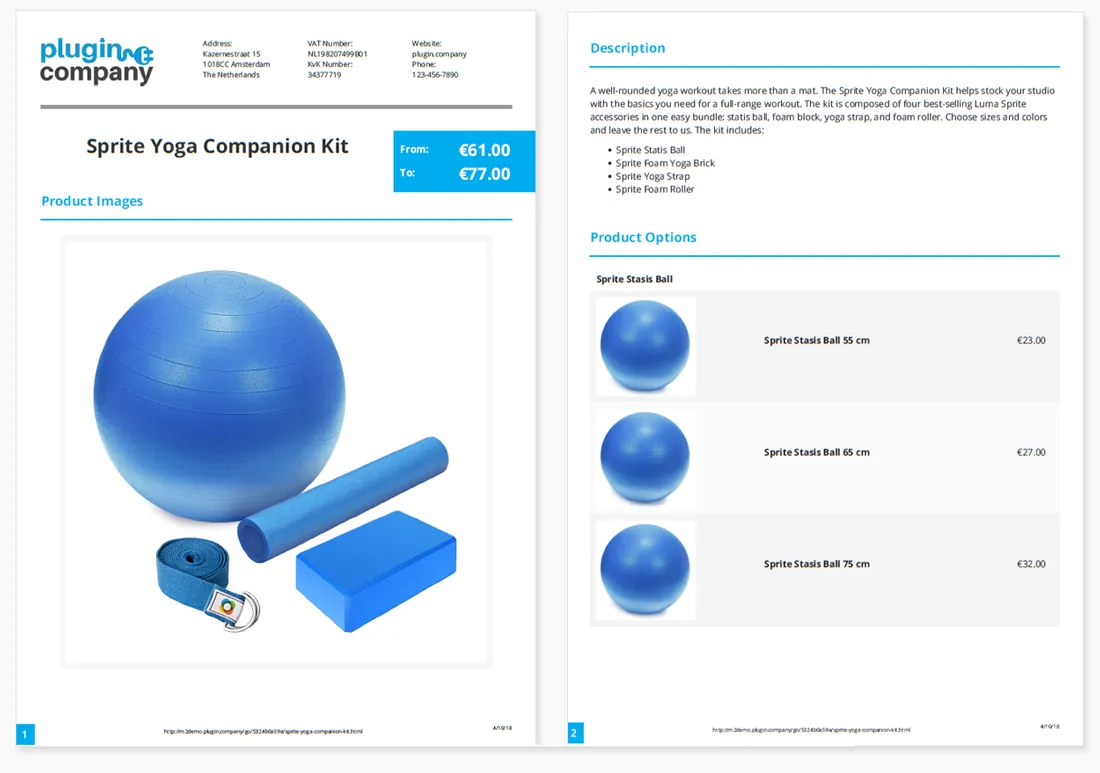
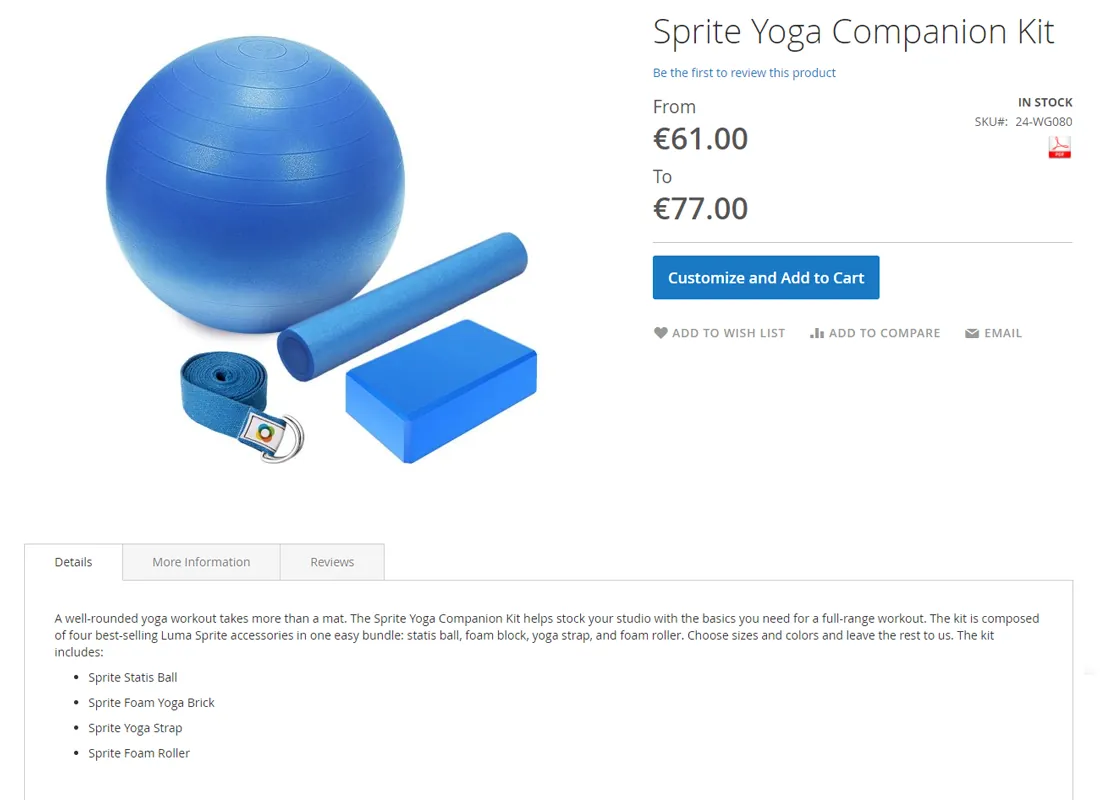
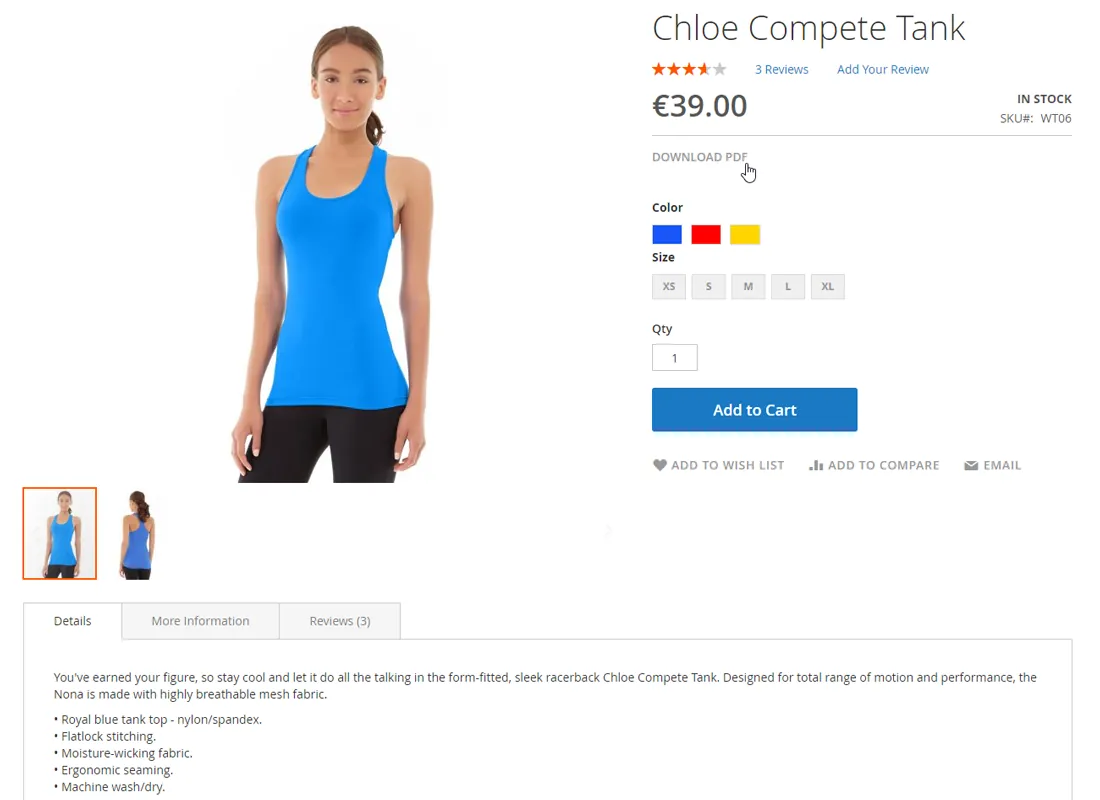
The Product Page PDF extension adds a PDF download and print-out function to your store. By clicking the PDF icon or text link customers can directly view and download a PDF version of your product pages.
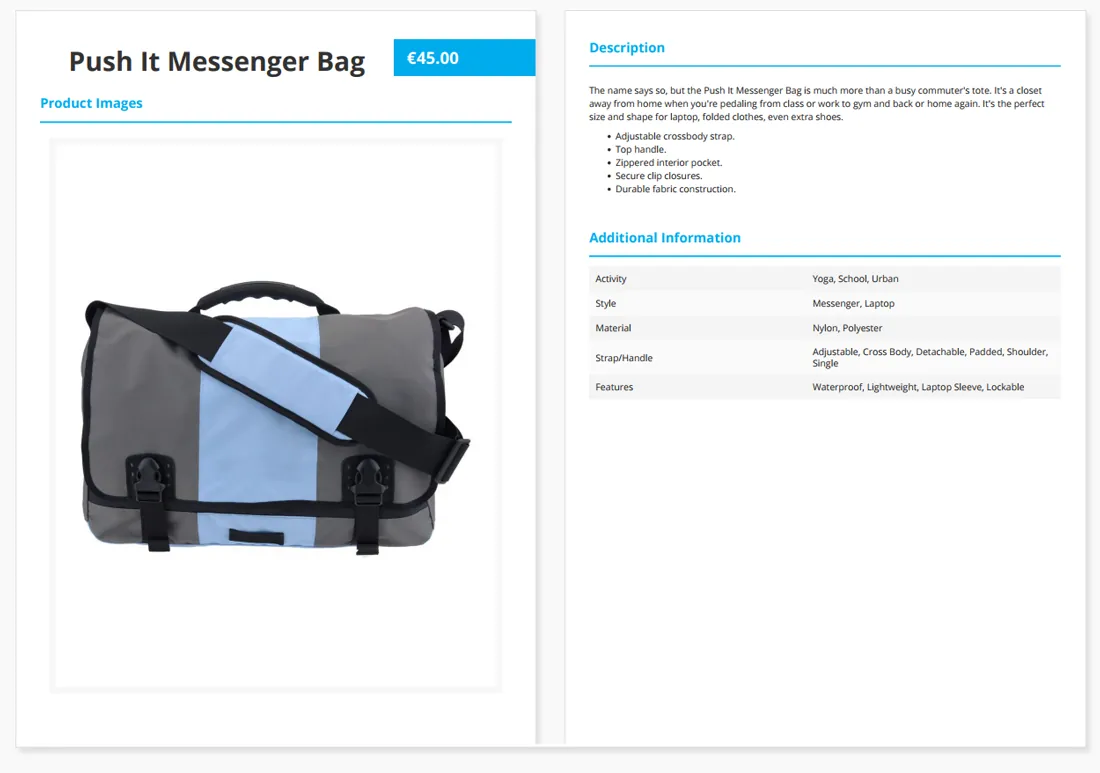
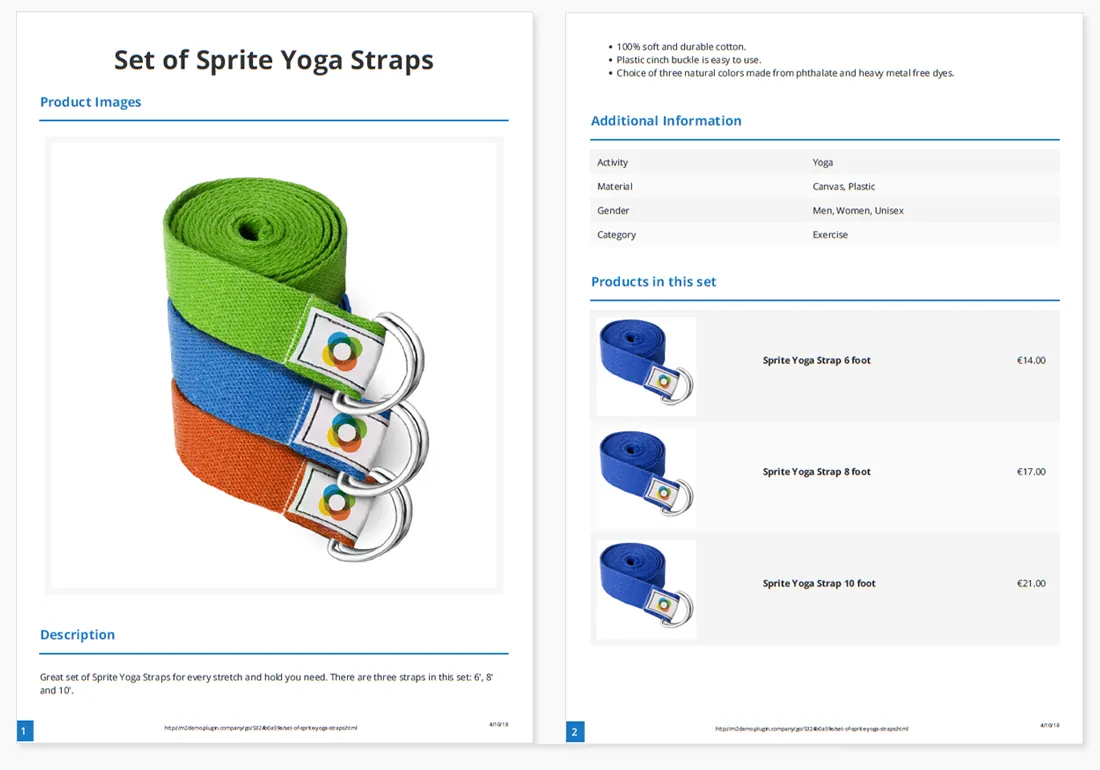
The extension supports all product types in Magento 2, including configurable, bundle and grouped products, while the PDF content, layout and design are customized in the admin interface.
Customizable Layout & Design#
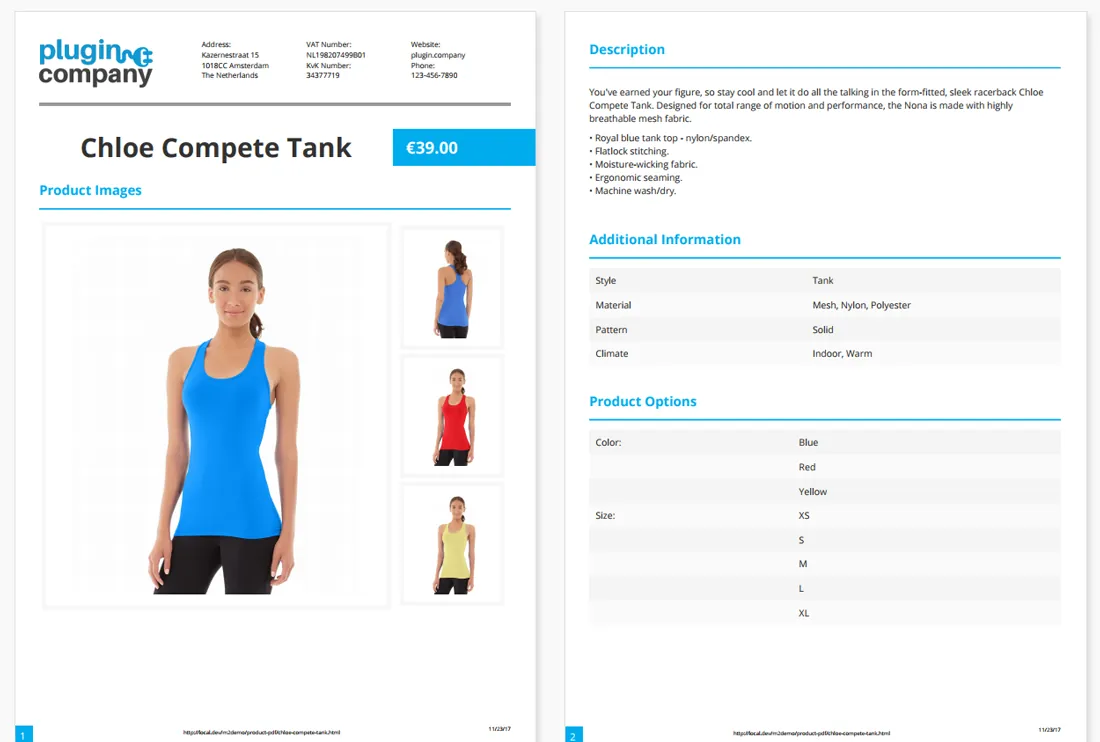
The extension lets you configure the layout and design of the product page PDF in the Magento 2 Admin Panel, including the optional header and footer which can be added to the product page PDF.
The header can be used to display a custom store logo and / or name and three columns of text content, for example for showing your business address, contact details or other any other company information. The footer can contain page numbers, the product page URL and a time stamp.
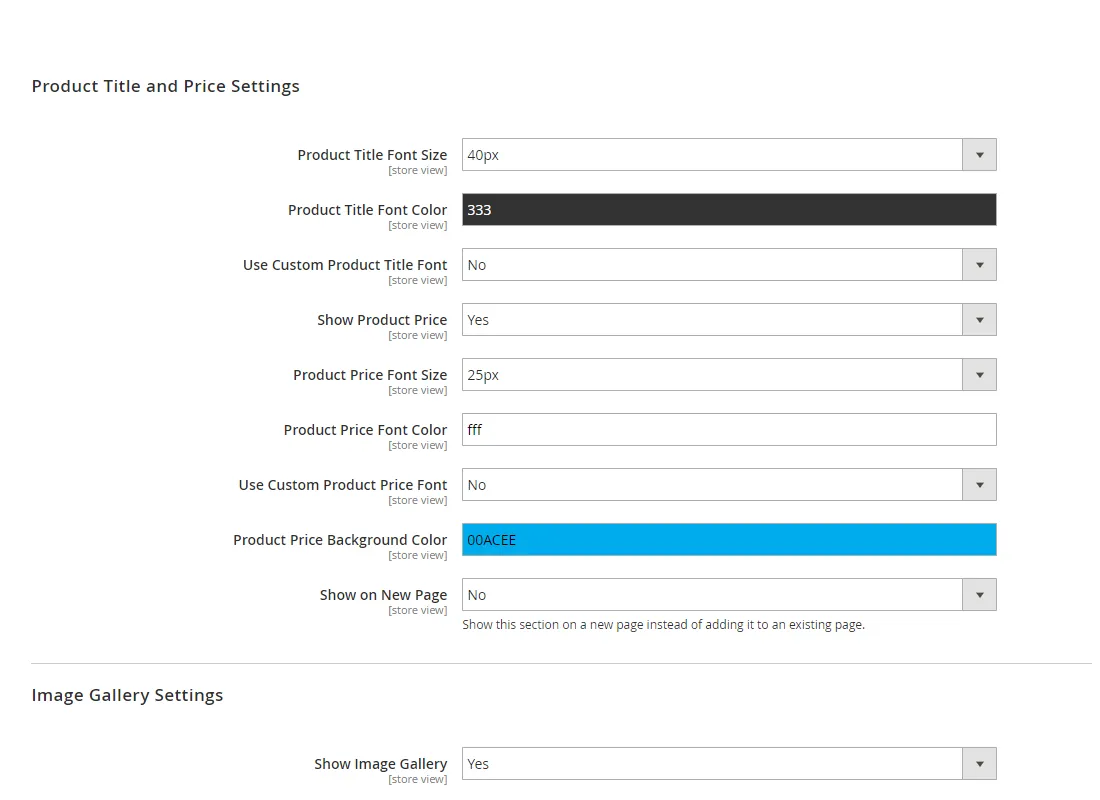
Using the plugin you can also choose to show or hide the product price, the design of which automatically adjusts to bundle or grouped product pricing.
Configurable Content Sections#
Supporting all Magento 2 product types, the PDF can include all product information or specific product page sections only, which can be individually enabled in the back-end.
The configurable content sections include the product descriptions, price, images, additional information, custom options and configurable, bundle and grouped products.
Using a simple drag and drop interface, the sort order of the content sections can be modified and each section can be optionally shown on a new page instead of continuing on an existing page.
Read the full description
Image Gallery Layouts#
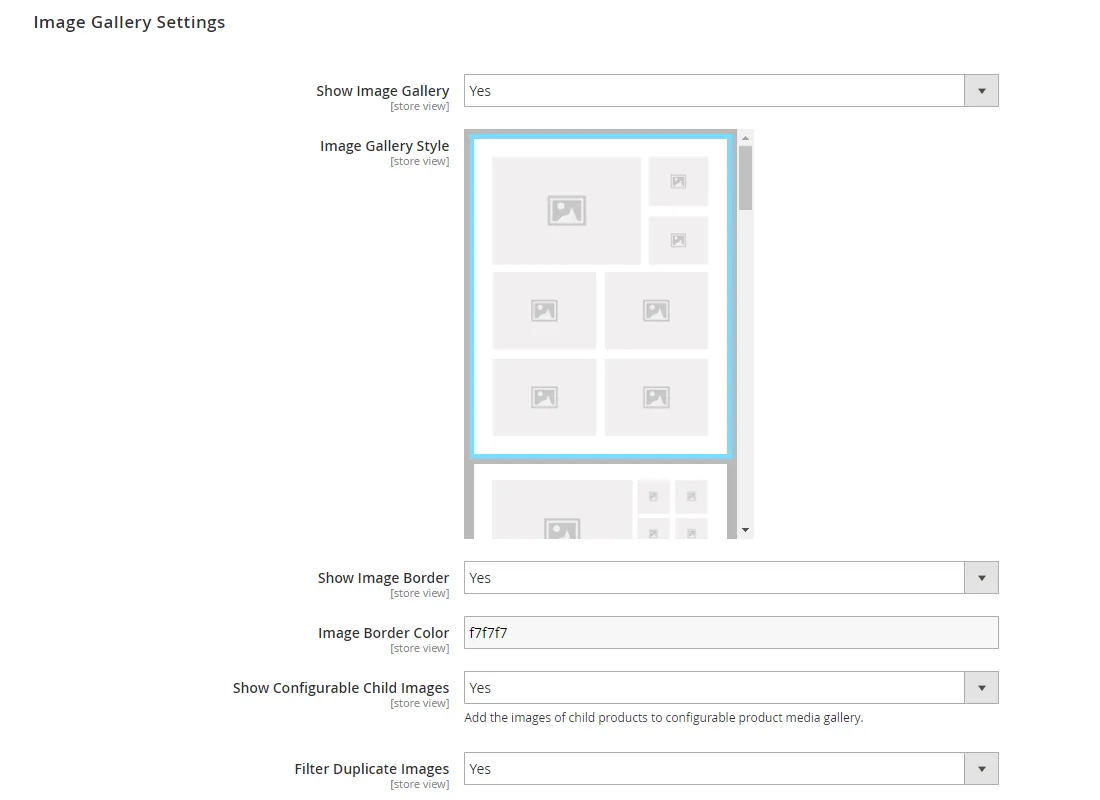
Depending on the number of product images available and the selected gallery layout, the plugin automatically distributes the images evenly across the PDF pages, ensuring an optimal presentation of your product range.
You can optionally add a border around the images and choose a custom border color. On top of that, the Product Page PDF extension automatically filters out duplicate product images and includes configurable child image support.
Custom Fonts & Colors#
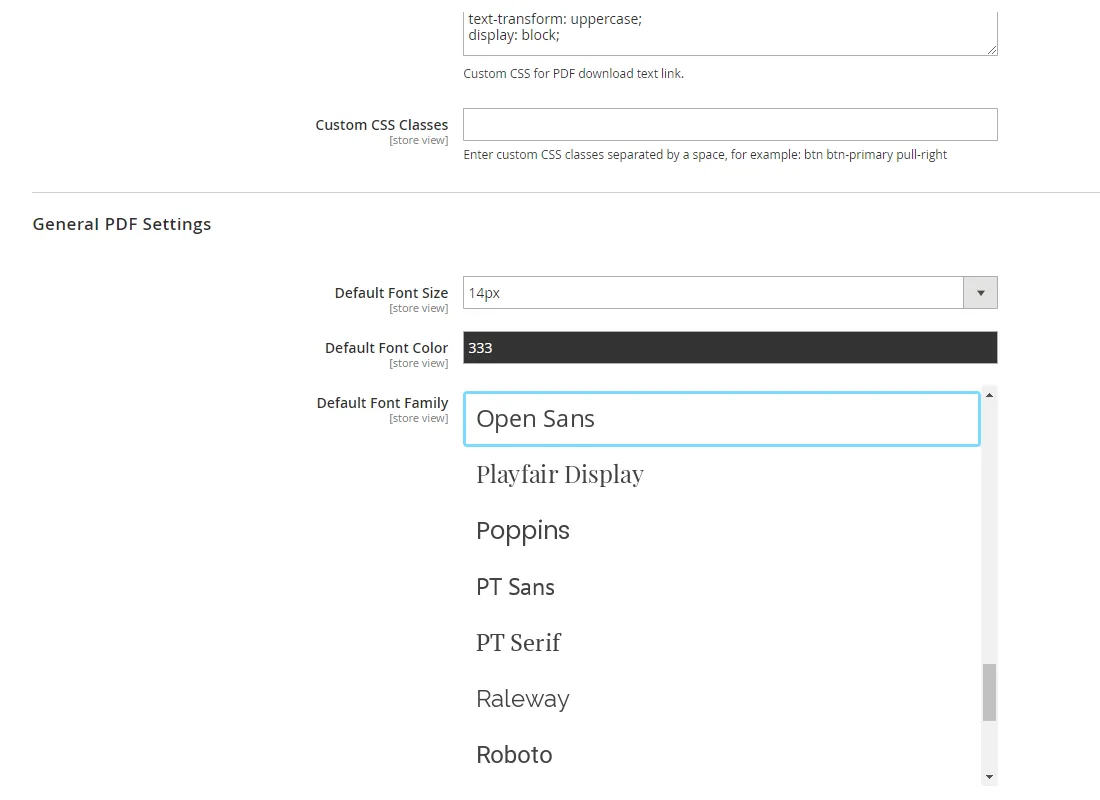
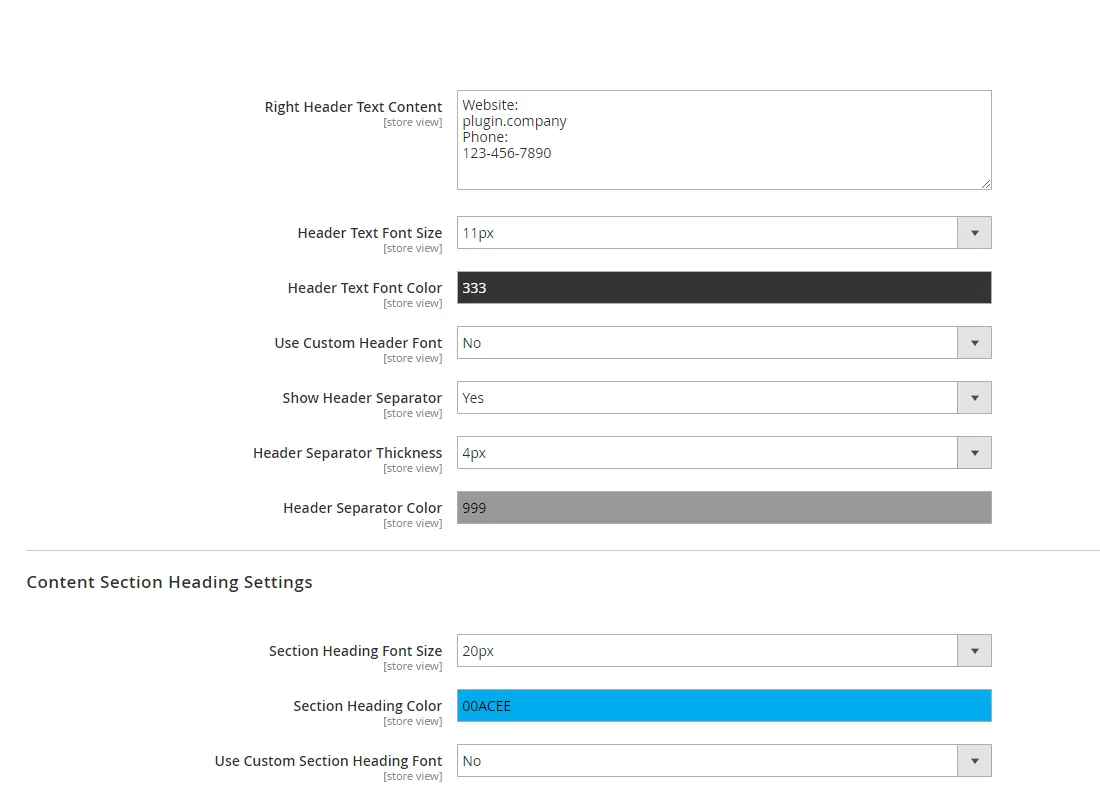
Including 40 Google fonts, the Product Page PDF extension lets you customize the font family, size and color of various PDF elements, including the header and footer texts, product title, price and content section headings.
This way you can select a default font for the whole PDF, or configure a custom font style for each text element.
Using personalized font styles and other design details such as the header separator and price background color, the plugin makes it simple to create a PDF design matching your corporate identity and house style.
Download Documents on the Front- & Back-end#
By clicking the PDF download icon or text link that can be placed in any product page block, the Magento 2 extension instantly converts your product page to a PDF document, which automatically opens in a new browser tab.
Besides that the plugin also makes it possible for admin users to directly download the PDF from the product admin page with just one button click.
PDF print-out for customers#
With its clean and professional design, the product PDF provides your customers with a print-out of all your product details.
Documentation
14 pages from the user manual.
Changelog
Release history45 releases, Nov 2017 – Jul 2022
Since 2026Open source
- 100.12.3
Fixed PHP 8.1 and Magento 2.4.4 code compatibility issues. Updated composer.json requirements for PHP 8.x.
- 100.12.2
Fix for composer dependency issue related to paragonie/random_compat version constraint in mpdf/qrcode package
- 100.12.1
Bugfix for issue which occurred when "Show Configurable Parent Images" is enabled in config. Related error messages: "An error has happened during application run." and "Error: Call to a member function getFile() on bool ".
- 100.12.0
- Added option to include configurable parent product's images in configurable child product PDF
- Fix for images not showing when incorrect image base path is set in Magento. (Not really a bug)
- 100.11.8
- Fixed "Use selected child product for PDF" not working on Magento 2.4.x
- Fixed "Use selected child product for PDF" issue when regular select attributes are used instead of the swatch system
Show 40 older releases
- 100.11.7
Added mPDF QR Code library to composer requirements
- 100.11.6
Added additional constraint to mPDF version requirement
- 100.11.5
mPDF library version requirement update to v8.0 for PHP 7.4 / Magento 2.4.0 compatibility
- 100.11.4
Fixed issue causing "Load assets directly" option to not work properly when Magento unsecure and secure base URL differ
- 100.11.3
Fixed issue where configurable Product PDF would break when child product images are deleted from the server
- 100.11.2
Fixed bug which occurred when product contains textfield custom option
- 100.11.1
Product price in PDF now uses incl / excl Tax display settings for product view page
- 100.11.0
New feature which allows you to add a QR Code containing the product URL in the PDF header and PDF content area
- 100.10.1
Fixed conflict with Magento 2.3.x PageBuilder extension icons CSS
- 100.10.0
New feature which allows using the selected configurable child product for the PDF print-out instead of the parent product. When no options are selected, the parent product will be used.
- 100.9.0
- New option to hide Yes/No attributes with "No" as value
- Fixed issue regarding Yes/No attributes not displaying in PDF
- 100.8.2
Fixed issue where bundle product PDF wouldn't load if the all products in a specific option group are deleted (Magento 2.x core bug workaround)
- 100.8.1
- Improved error reporting on front-end
- Improved error logging functionality
- Fixed issue causing mPDF temp dir error in some cases
- 100.8.0
- New option to directly show a print window in the browser when a PDF is opened
- Fixed issue causing CSS files and default store logo not being loaded correctly when both "Load Assets Directly" and developer mode are enabled
- 100.7.2
Code workaround due to bug in Magento Marketplace EQP validation system
- 100.7.1
- Removed exec calls from Google Fonts installer and automatic mPDF library installer
- Improved automatic mPDF library installer functionality
- 100.7.0
- Added custom CSS field in system configuration section, which allows to customize the PDF file CSS straight from the Magento 2 admin area
- Added css field code highlighting in system config
- 100.6.2
Updated license manager dependency in composer.json
- 100.6.1
Moved mPDF temp dir to var/tmp/mpdf for Magento Cloud compatibility. Thanks Eugene Shramko for proposed fix.
- 100.6.0
- Added option to load assets directly using the filesystem instead of HTTP requests. This can solve image loading issues when running Magento in a docker container or behind a reverse proxy.
- Improved sensitivity of duplicate product image filtering functionality
- Moved Google Fonts installation to media directory for Magento Commerce Cloud compatibility
- Disabled caching for PDF response which solves some FPC related issues
- Fix for OSX / IOS PDF rendering error
- 100.5.4
- Tested Magento 2.3.0 compatibility
- Fixed automatic mPDF library installer issues
- 100.5.3
- Fixed issue where PDF style wouldn't render correctly when CSS minification is enabled
- Bugfix PDF files for product names with special characters
- 100.5.1
Updated i18n translation .csv file
- 100.5.0
- Added option to set the amount of images to show in the media gallery section
- Improved duplicate image filter accuracy for similar images with different color
- 100.4.2
- Small compatibility fix for Magento 2.2.4 and Magento 2.2.5
- Fix for admin PDF download button not working in some cases
- License manager module update
- 100.4.0
New feature allowing PDF printing on admin panel product page
- 100.3.1
Fix for price type attribute issue in product attributes table
- 100.3.0
- New option to show / hide prices per PDF content section
- Fixed potential issue regarding empty select / multiselect attributes still showing when 'Hide empty attributes' is enabled
- Other code refactoring / improvements
- 100.2.2
Fixed custom options price issue
- 100.2.1
- Added fallback method for installing Google Fonts
- Better error reporting
- New option to hide empty attributes from additional information section
- 100.1.8
Image gallery now falls back to single large image if no additional images are available
- 100.1.7
Fixed dependency injection issue caused by namespace mismatch after compiling
- 100.1.6
Added instructions to update permissions of mPDF tmp directory in case of write error
- 100.1.5
- Folder permissions fix for mPDF library on PHP 5.6
- Updated installation manual regarding directory permissions
- 100.1.4
- Improved default system config settings
- Fix for PDF link placement selector issue
- Fix for error logging during PDF generation
- 100.1.3
Added custom CSS selector field in admin store config section
- 100.1.2
Added fallback placeholder method for main image in media templates
- 100.1.1
- Fix for Google Fonts directory retrieval issue
- Marketplace code workaround for exit call
- 100.1.0
- Added automatic mPDF library installer in admin panel
- Fixed coding standard issues for Magento Marketplace
- Added automatic font downloader to reduce package size
- 100.0.0
First release of Magento 2 Product Page PDF extension by Plugin Company.
More for Magento 2
-
Custom Contact Forms
Drag‑and-drop contact form builder for Magento 2.