Syntax Highlighter for Magento 1
Syntax highlighting for HTML, CSS and JavaScript in the Magento admin.
- v1.0.3
- Magento CE 1.4 – 1.9, EE 1.8 – 1.14
- OpenMage
- MIT License
- Released May 2016
Features
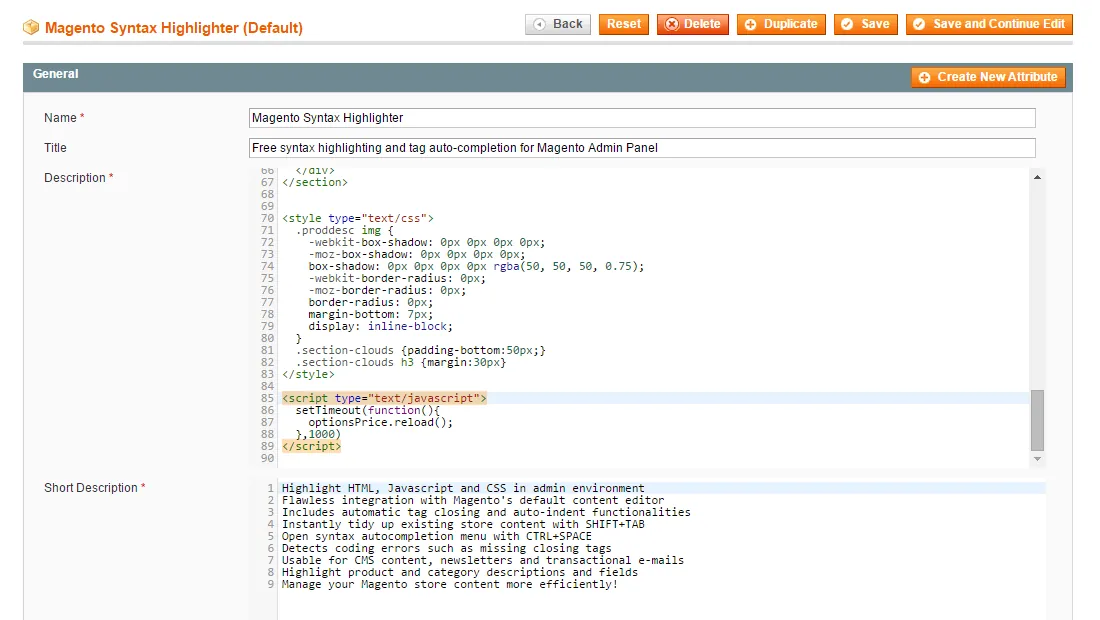
- Highlights HTML, JavaScript and CSS in the admin
- Integrates with Magento's default content editor
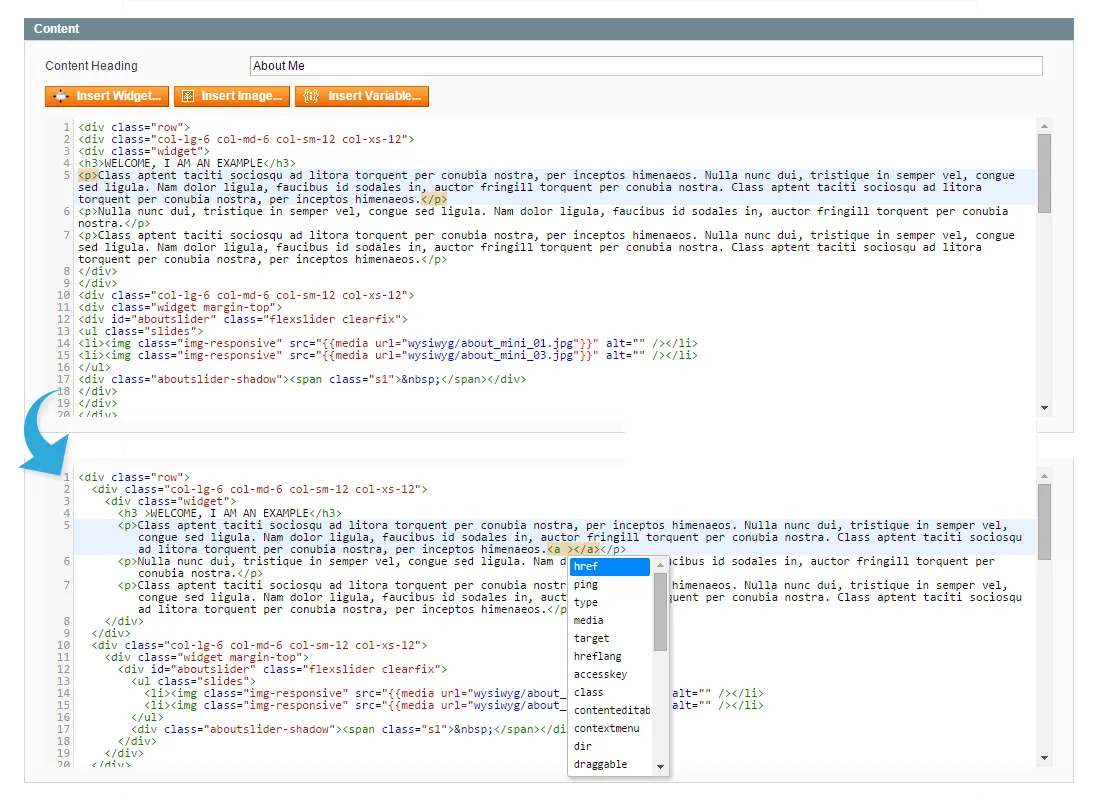
- Automatic tag closing and auto-indent
- Reformat existing content with Shift+Tab
- Auto-completion menu with Ctrl+Space
- Detects errors such as missing closing tags
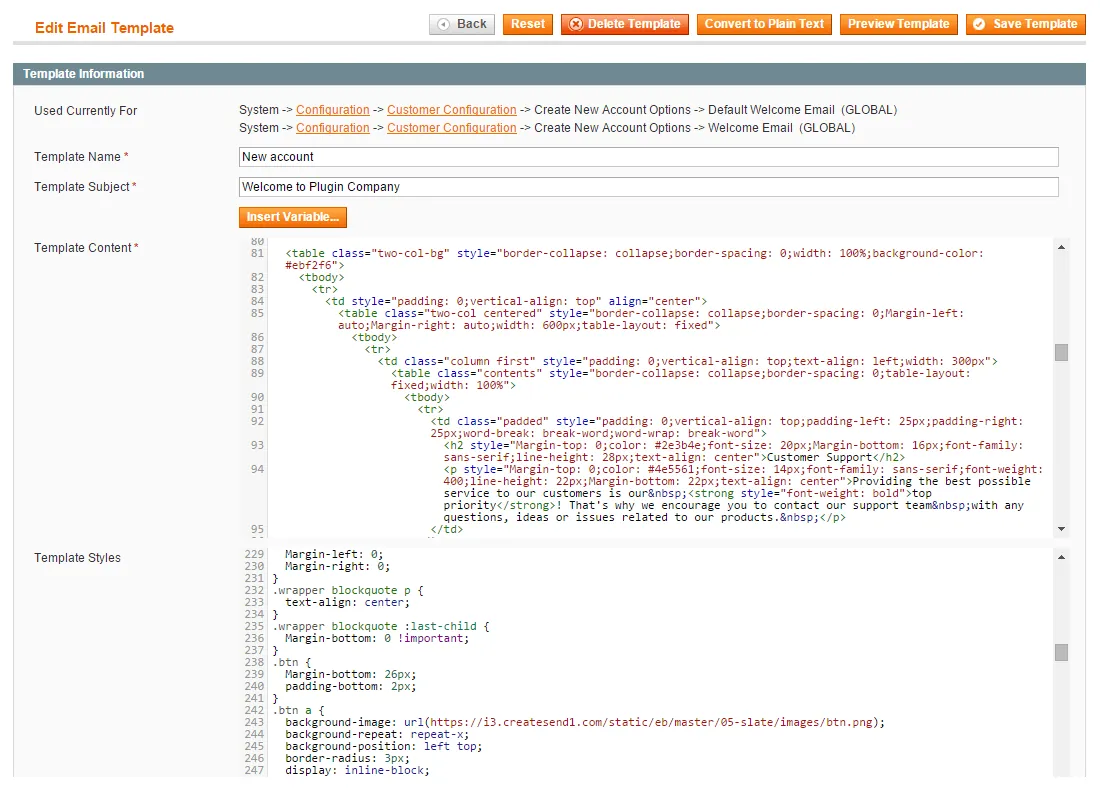
- CMS content, newsletters and transactional e‑mails
- Product and category descriptions and fields
Overview
The Syntax Highlighter extension upgrades the default black and white text editor in your Admin Panel to a fully syntax highlighted content editor, enabling you to manage your store content a lot more efficiently.
Highlight HTML, CSS and Javascript in your Admin Panel#
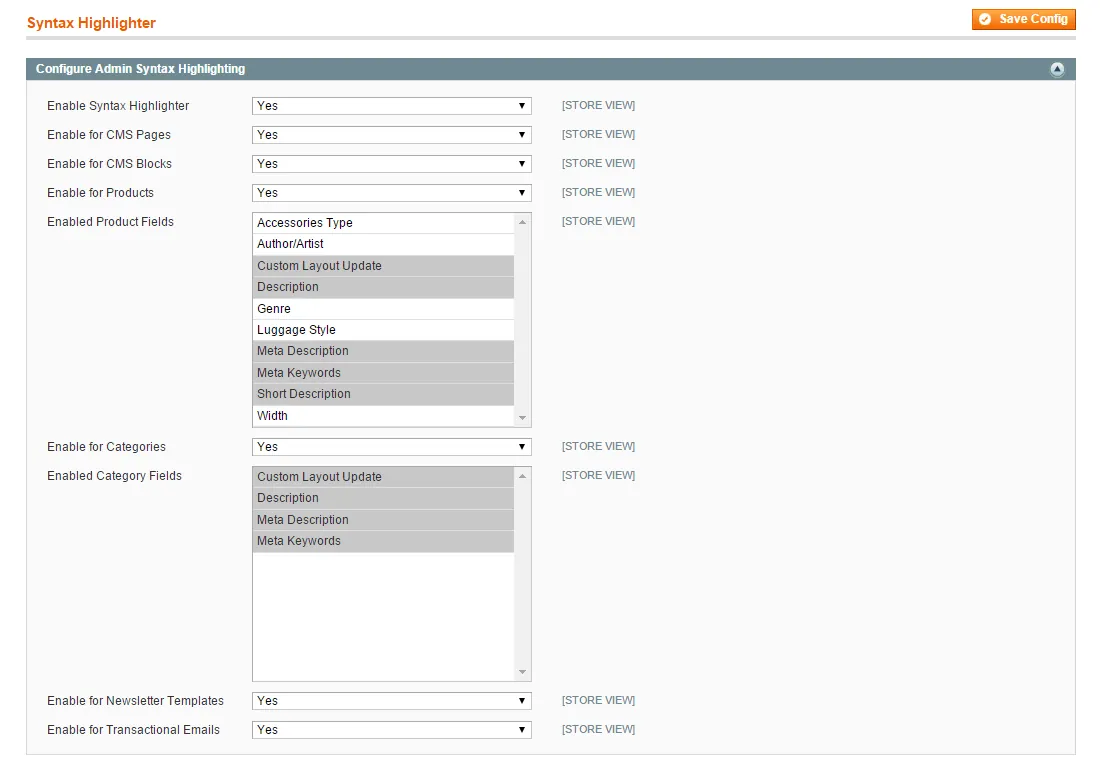
The Syntax Highlighter extension is fully compatible with Magento's default content editor and can be separately enabled for various admin areas.
The extension can be used for CMS pages and blocks, for managing product and category content and for newsletter templates and transactional e-mails. You can even choose for which product and category fields syntax highlighting should be enabled.
Instantly tidy up and organize your store content#
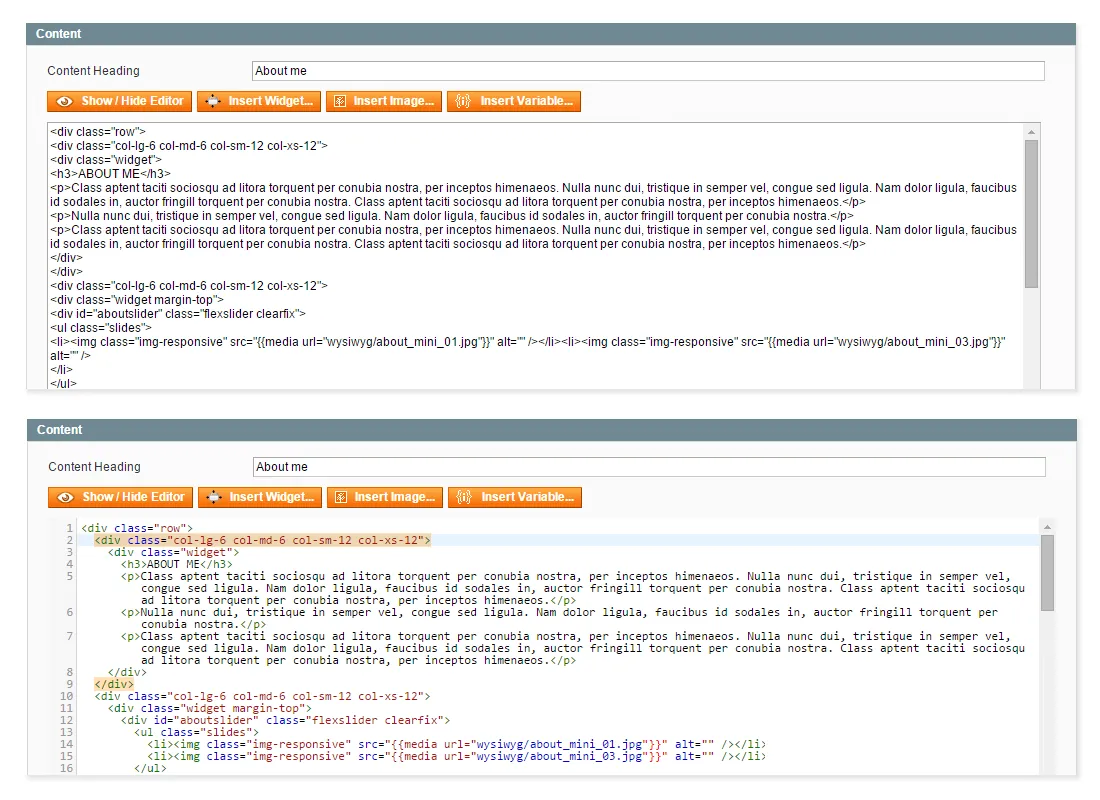
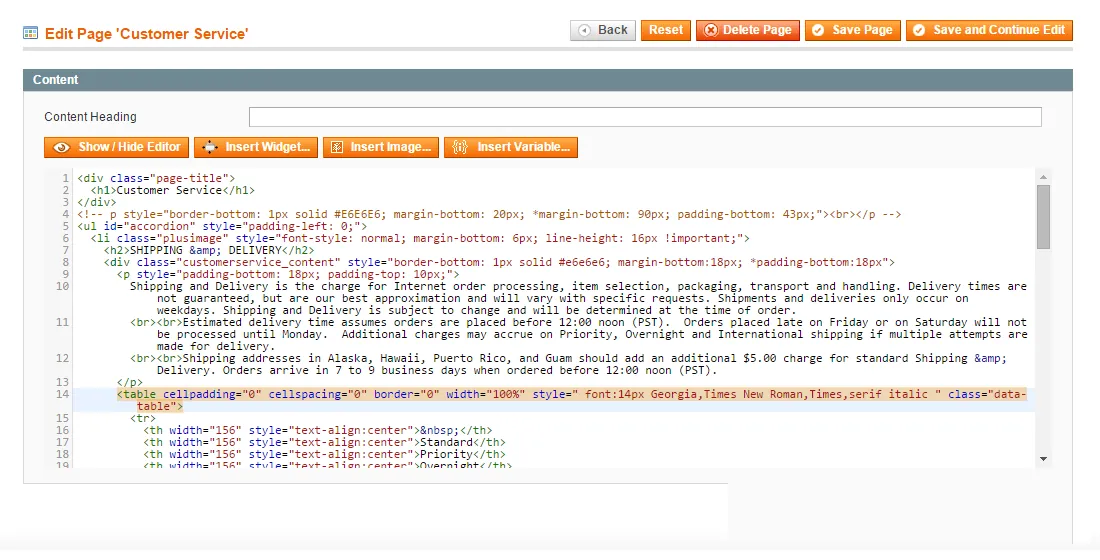
Because the Syntax Highlighter is built upon CodeMirror, it will almost feel like you're using a full-fledged offline HTML editor in Magento. While working on HTML, CSS or Javascript, tags will be automatically closed and you can use CTRL+SPACE to open the auto-completion menu.
The extension has a auto-indent function and will even detect coding errors, for example when tags are not properly closed. On top of that you can quickly tidy up existing content with SHIFT+TAB, instantly turning your cluttered code and text content into a clearly readable format.
Documentation
5 pages from the user manual.
Changelog
Release history4 releases, Oct 2014 – May 2016
Since 2026Open source
- 1.0.3
- Made compatible with Clever CMS
- Fixed CMS block saving bug
- 1.0.2
Small product page related bug fix
- 1.0.1
- Changed ACL title
- Changed jQuery file to shared no conflict site
- 1.0.0
First release of Magento Syntax Highlighter extension by Plugin Company.
More for Magento 1
-
Custom Contact Forms
Drag‑and-drop contact form builder for Magento 1.
-
CMS Revisions
Version control for Magento CMS pages and blocks.
-
Easy Menu
Drag‑and-drop editor for the Magento category menu.
-
Product Attribute Revisions
Revision history for Magento product attributes, with restore.