Store Finder for Magento 1
Store locator with Google Maps and store information pages for Magento.
- v1.14.2
- Magento CE 1.4 – 1.9, EE 1.8 – 1.14
- OpenMage
- MIT License
- Released Jan 2020
Features
Store locator features
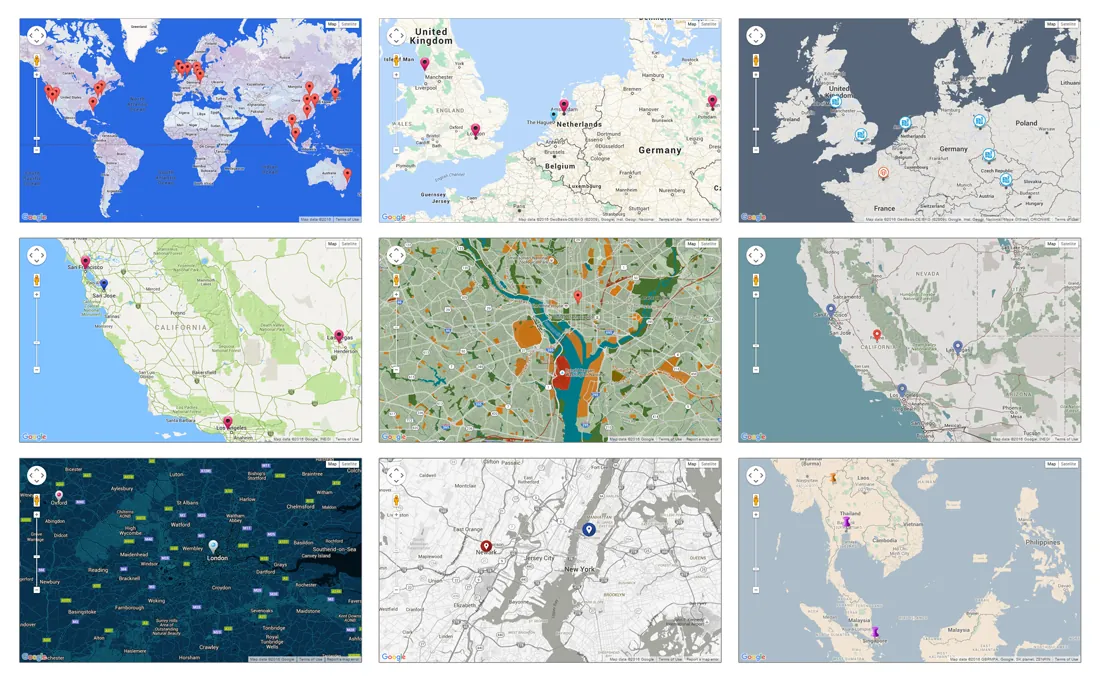
- Responsive Google Maps store locator
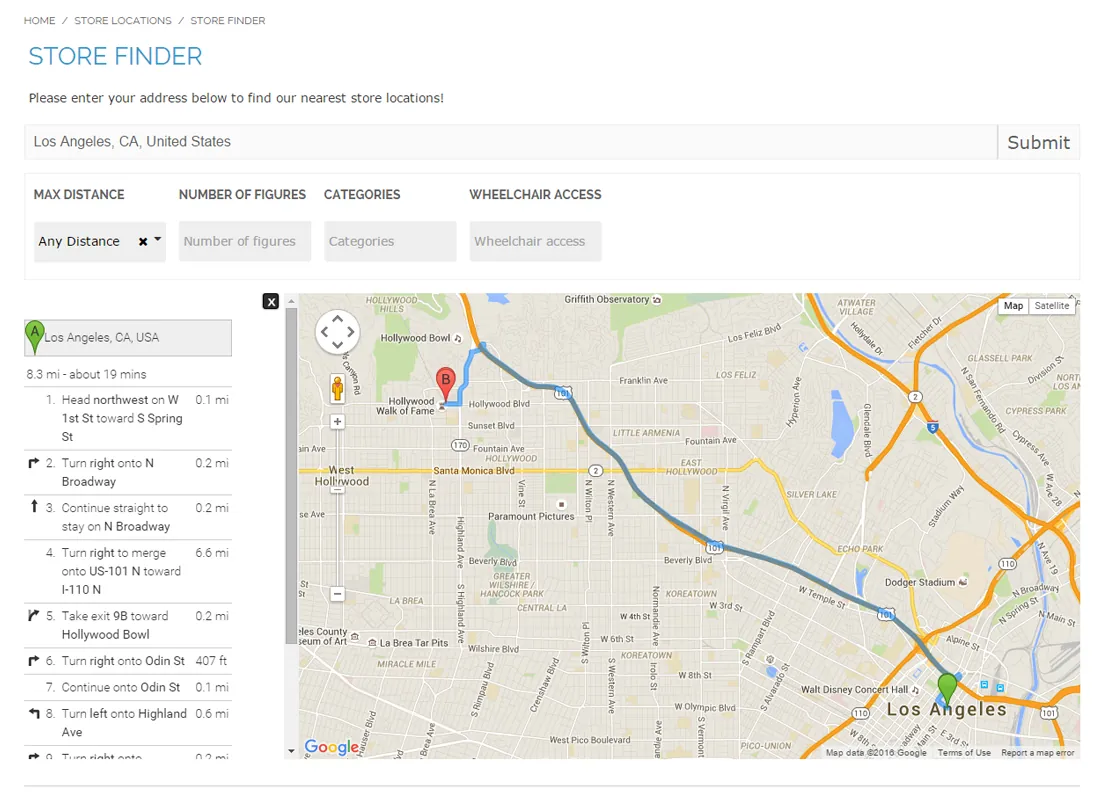
- Door-to-door route planner
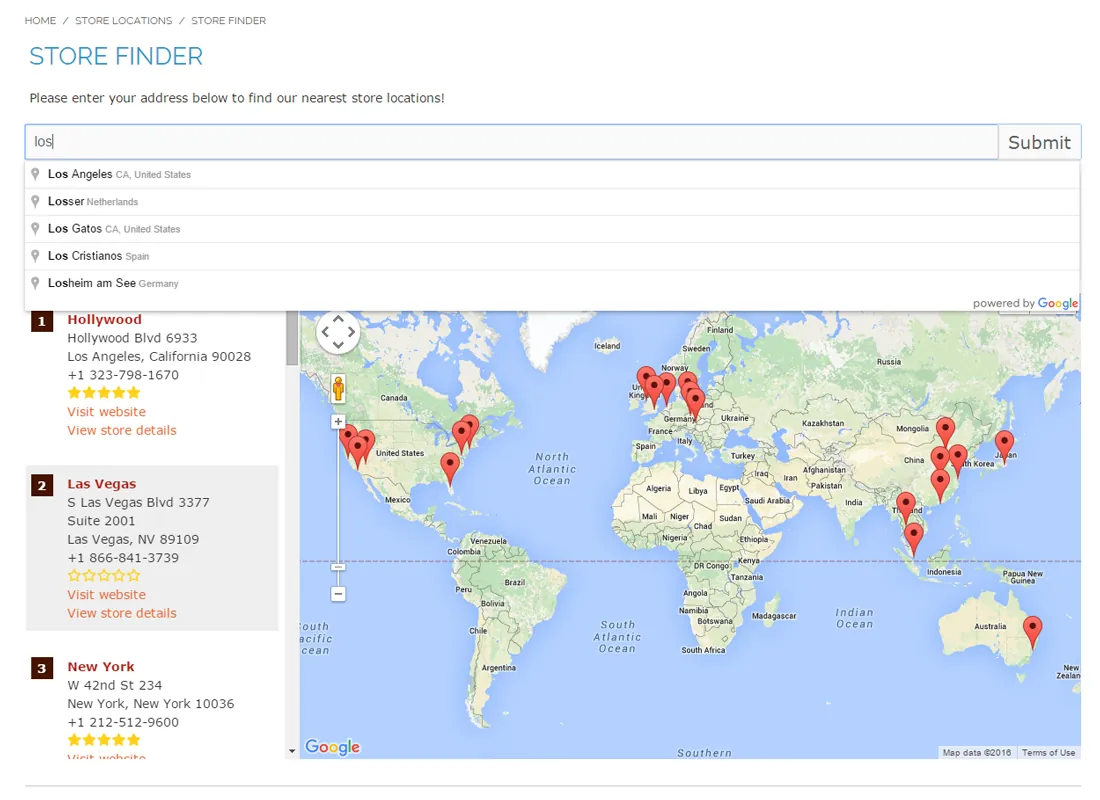
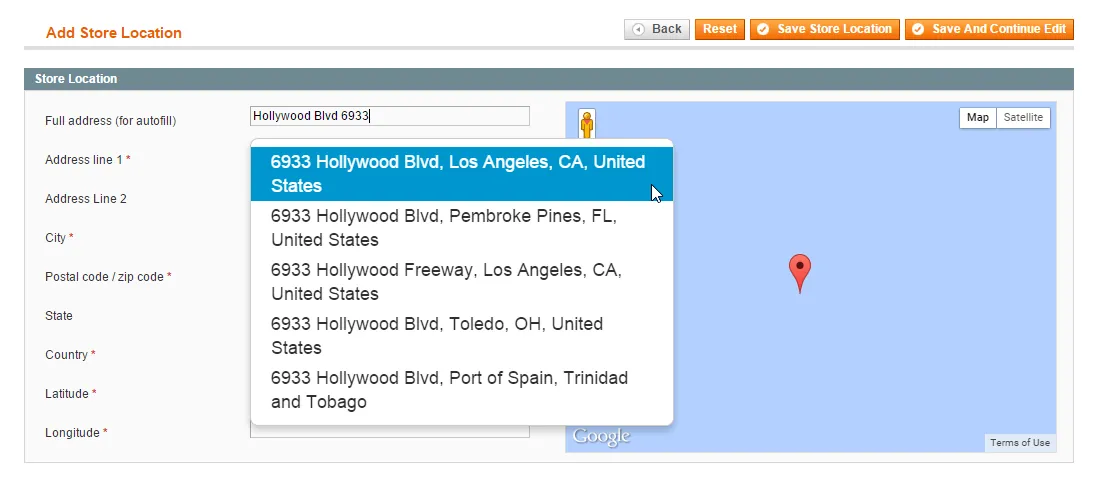
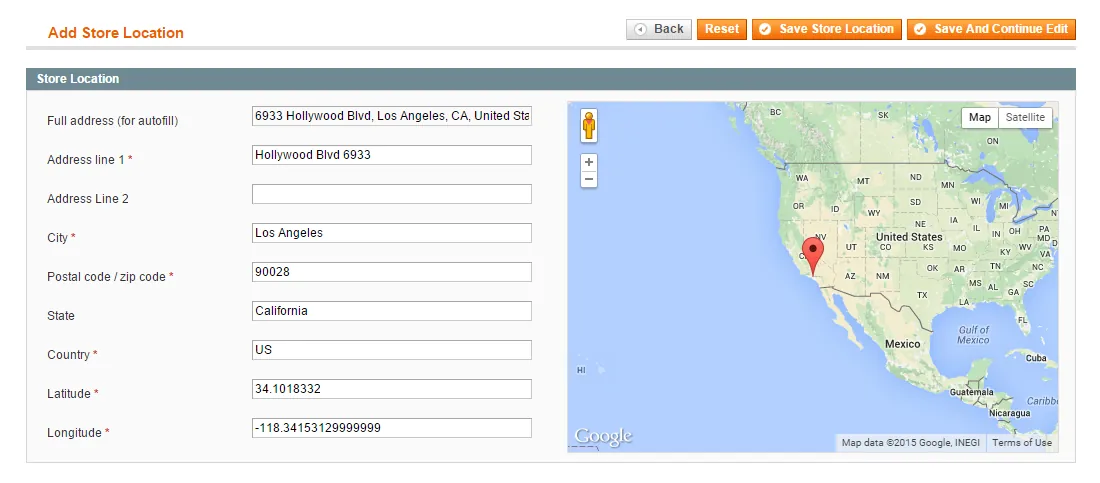
- Address auto-completion and automatic geocoding
- Distances in miles or kilometers
- Optional radius and custom attribute filters
- Many store locator display options
- Optional product page integration
Store page features
- Dedicated information page per store
- Contact details, opening hours and map location
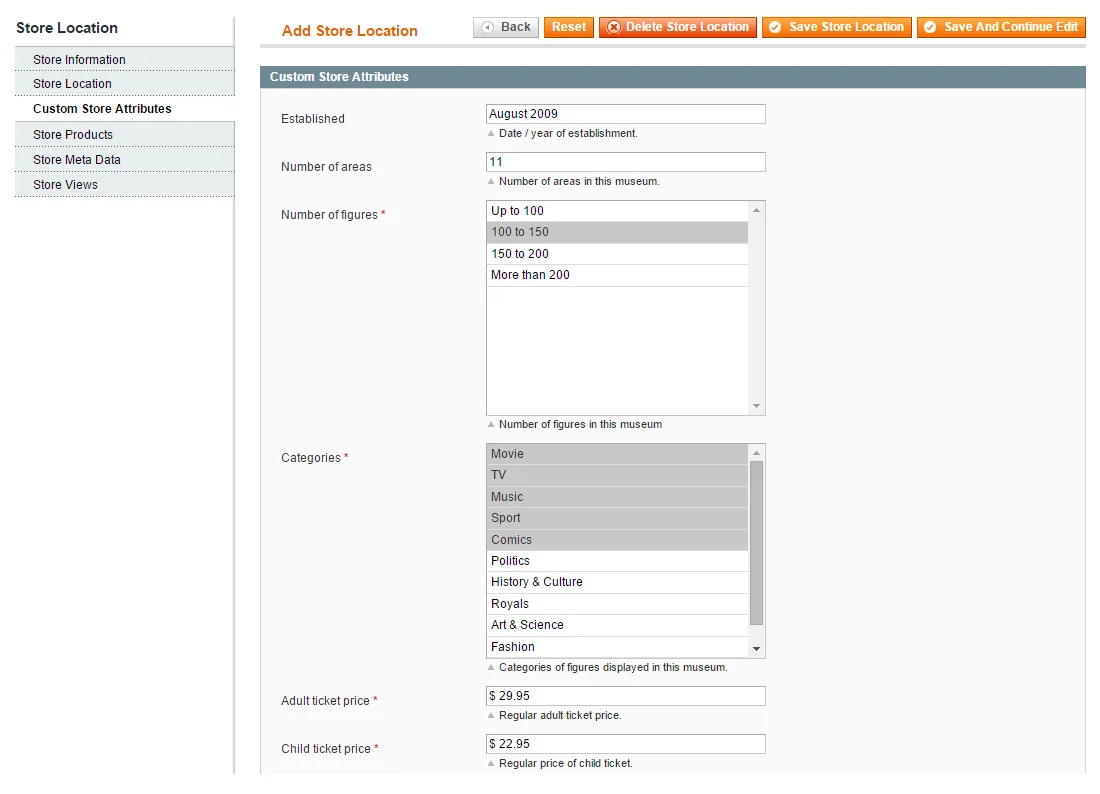
- Descriptions, images and custom store attributes
- Customer reviews and ratings
- Store locations overview page
- CSV import and export
Overview
The Store Finder extension offers a complete solution for presenting your store locations in your Magento webshop, enabling customers to quickly find your nearest stores while providing them with all practical visitor information.
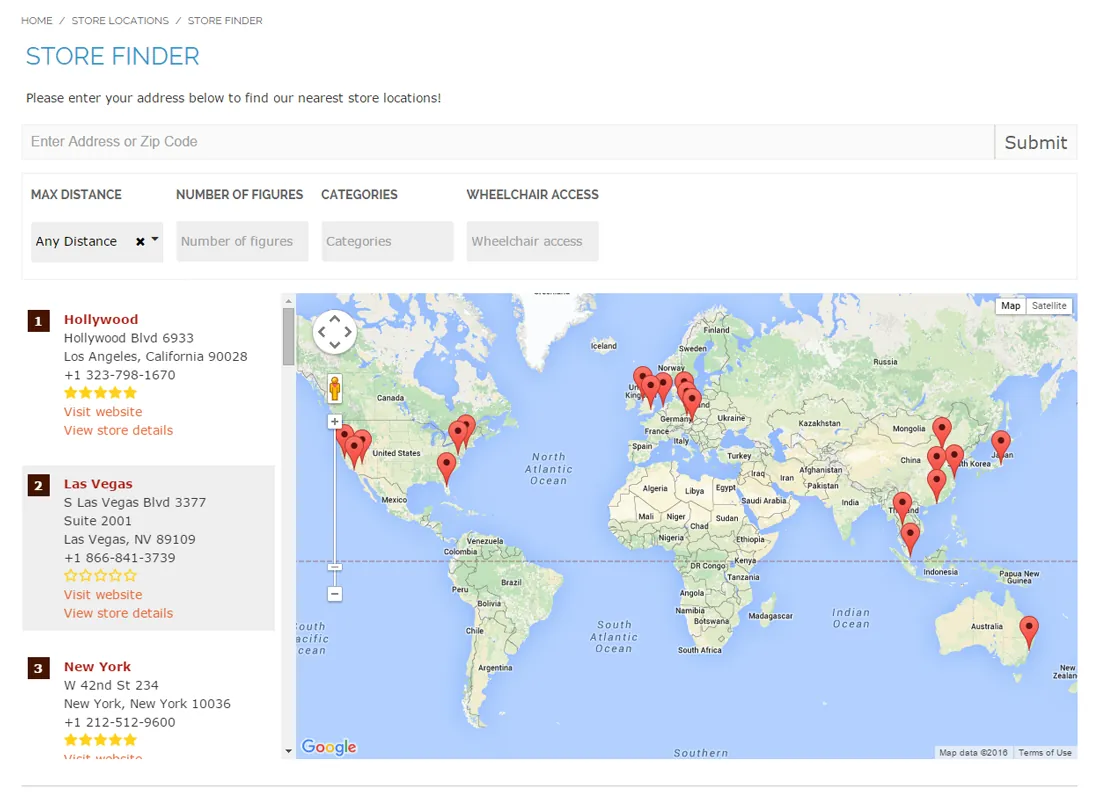
The advanced Google Maps store locator includes an integrated route planner and interactive store map with custom attributes support. Besides that you can create dedicated store information pages, which are listed in a store locations overview.
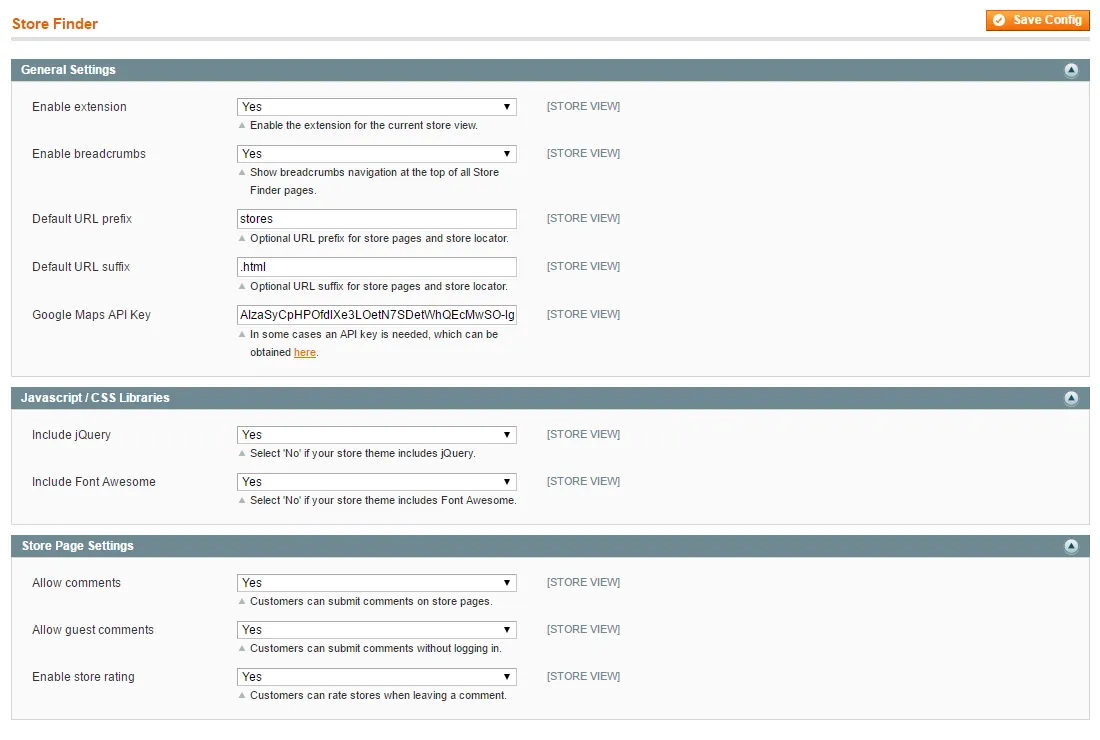
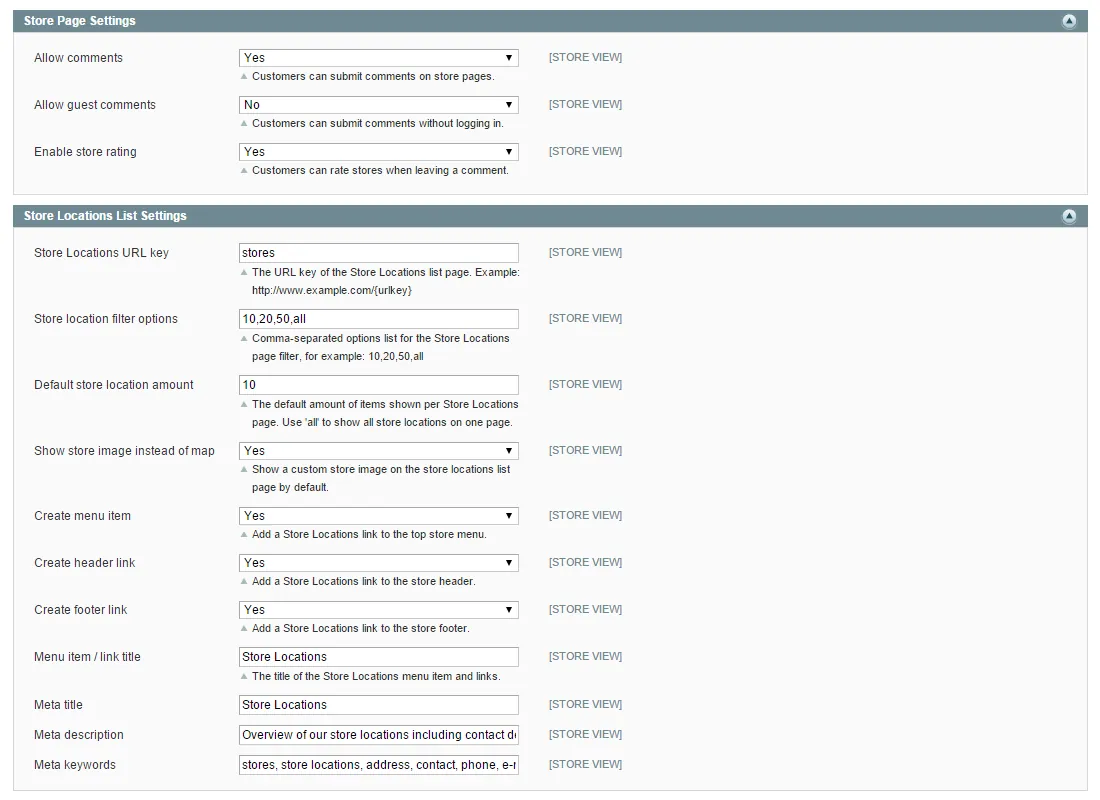
The extension's admin interface offers many front-end customization options and lets you manage store locations. With the Store Finder product page integration feature, customers can even locate stores based on product availability.
Dedicated store information pages#
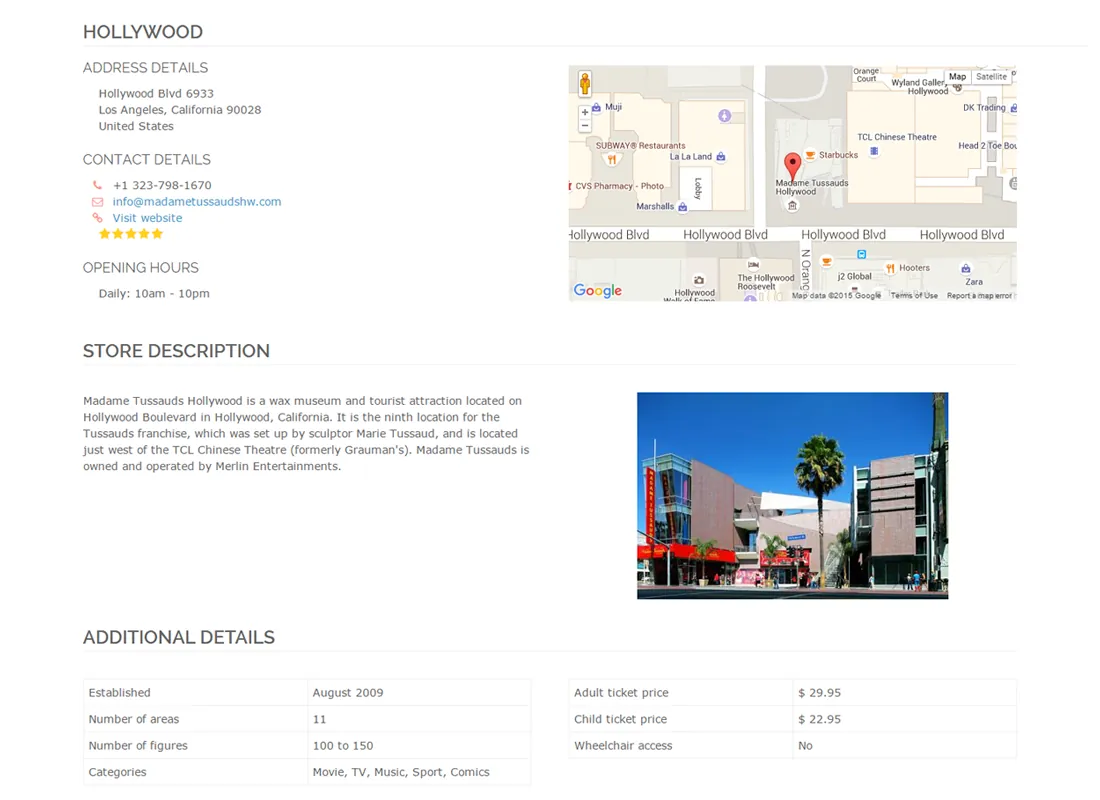
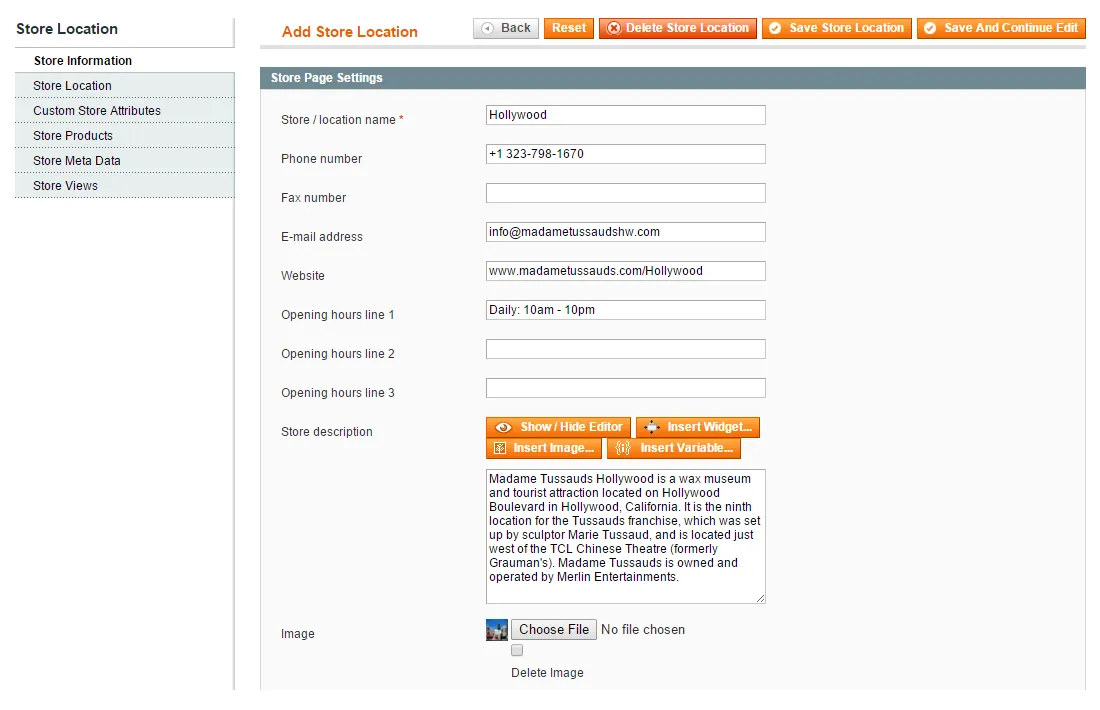
The Store Finder extension lets you create dedicated pages for all your store locations, which include all practical visitor information such as address, contact details and opening hours.
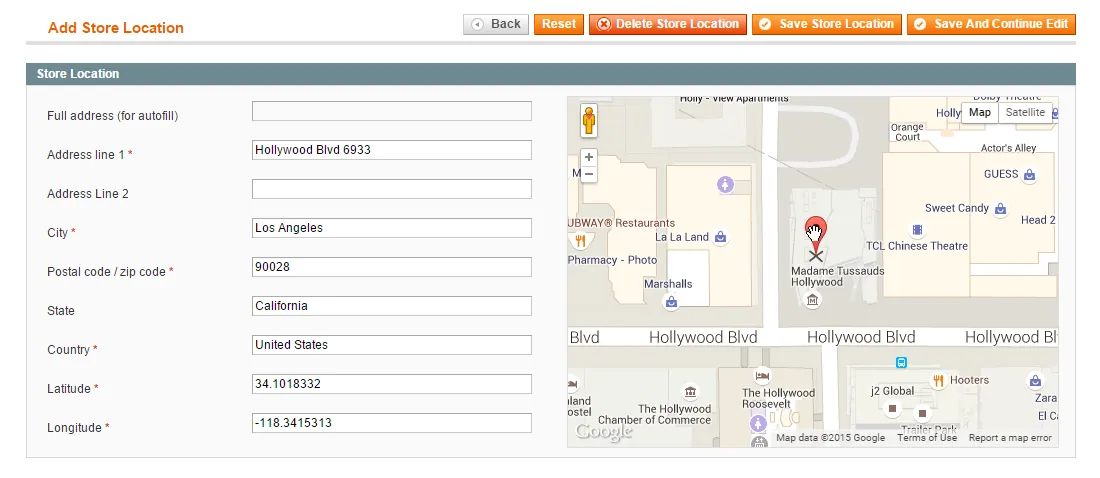
The exact store location is automatically shown on the interactive map and is easy to configure and modify in the back-end.
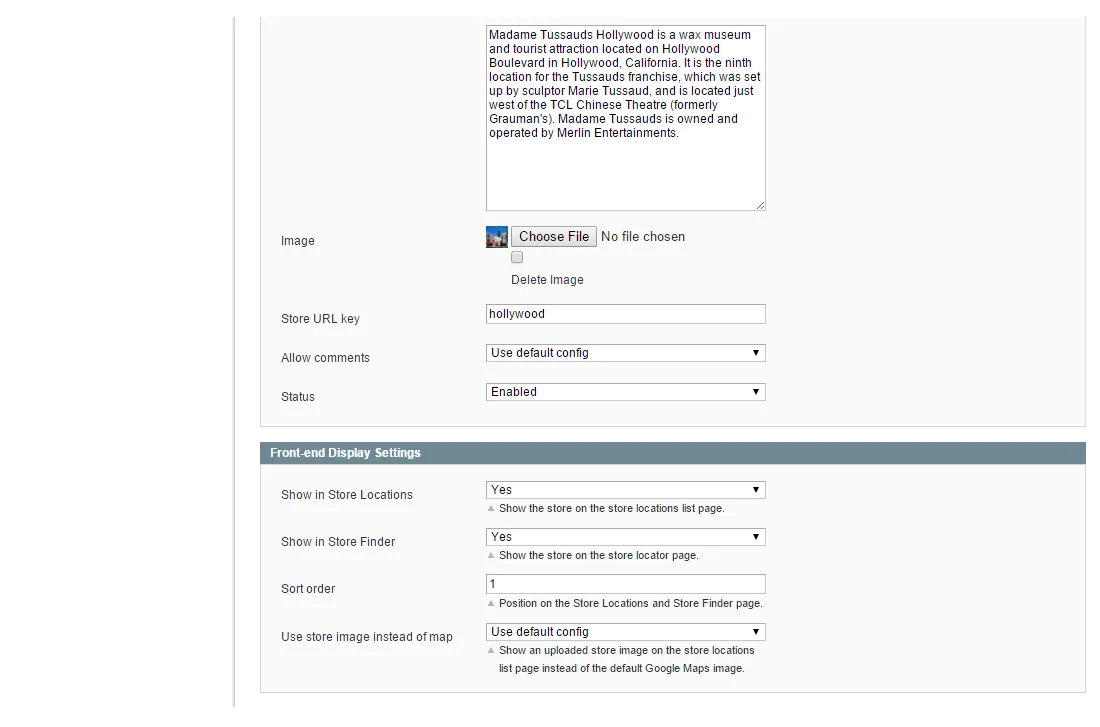
Add a store description or upload a custom image to give customers an even better impression of the location, or enhance your store pages with custom store attributes and an optional customer review section.
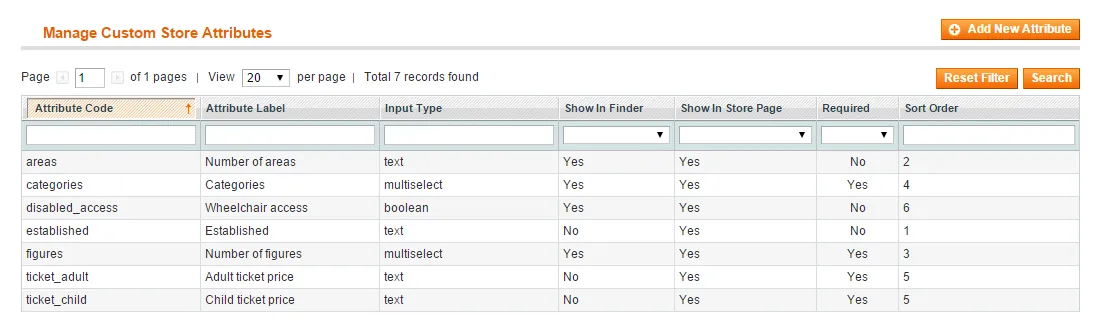
Unlimited custom store attribute support#
With Magento Store Finder you can create an unlimited amount of custom store attributes and include them in the 'Additional Details' section of your store information pages.
Besides that, the attributes can be optionally enabled as store locator filters, allowing customers to find stores based on custom store attributes such as product range, accessibility or special opening dates.
Read the full description
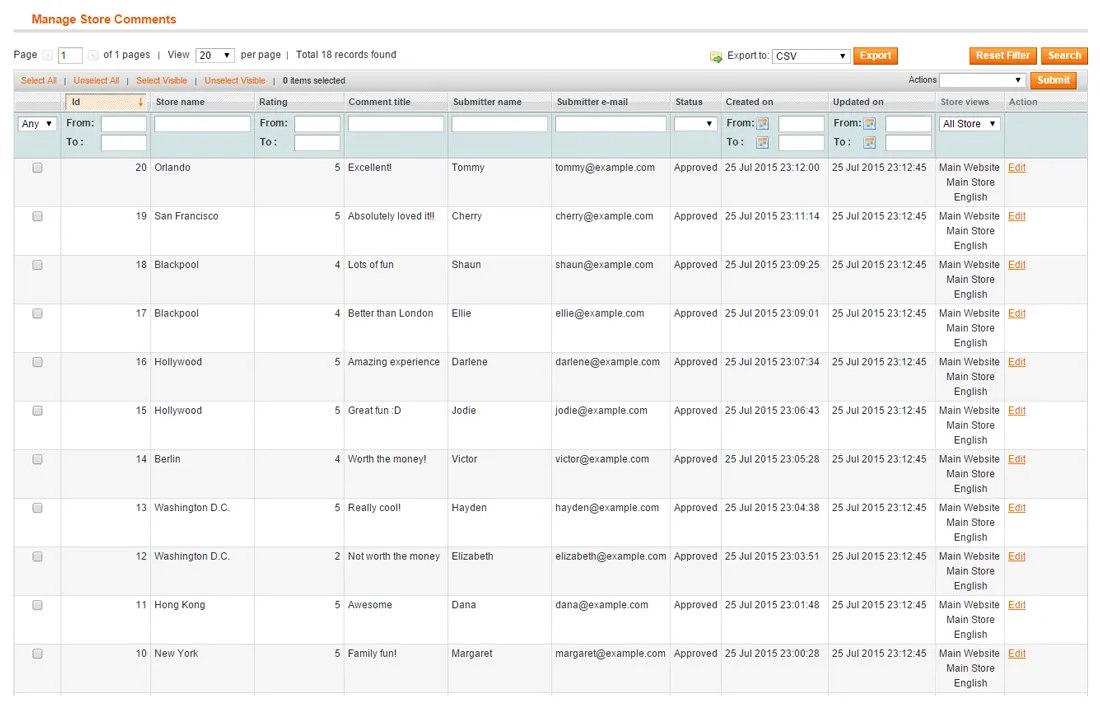
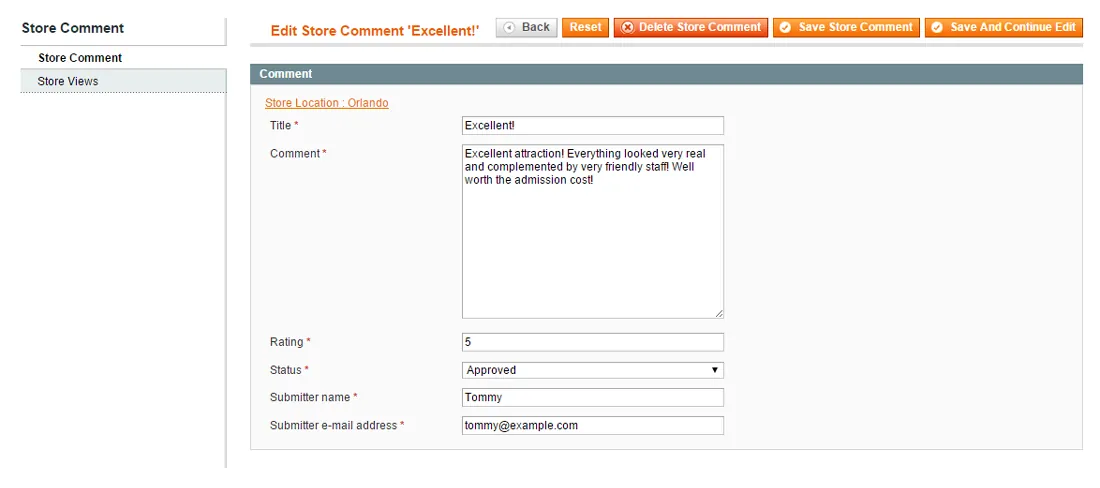
Store comments & rating#
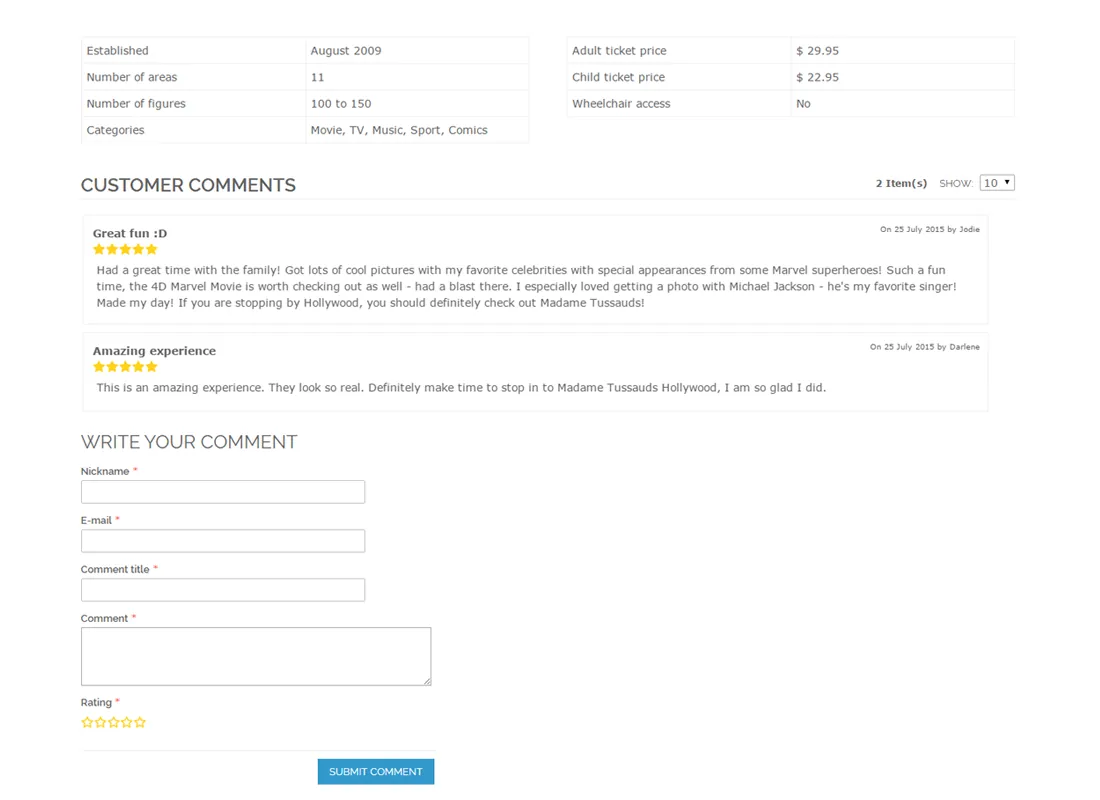
Optionally add a 'Customer Comments' section to your store pages and enable visitors to review your store locations by leaving a comment and rating the store with up to 5 stars.
You can require customers to log in to submit store reviews, which are managed and approved in the extension's admin interface.
Store locations overview#
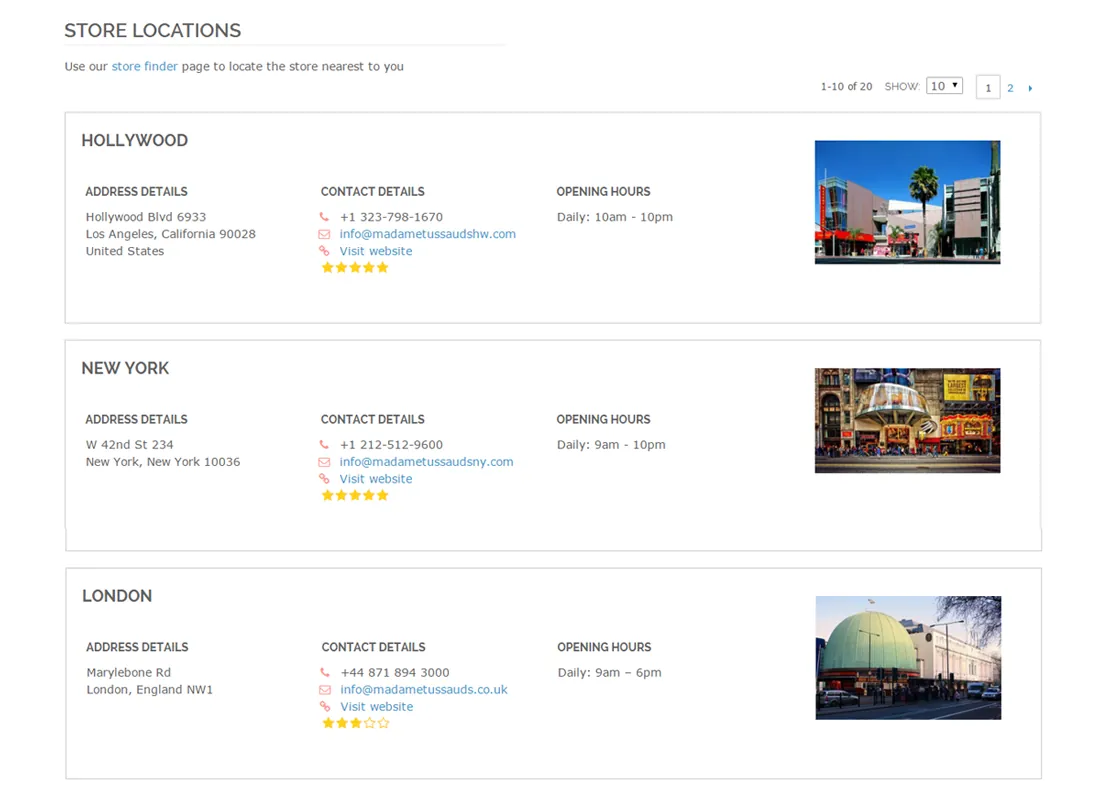
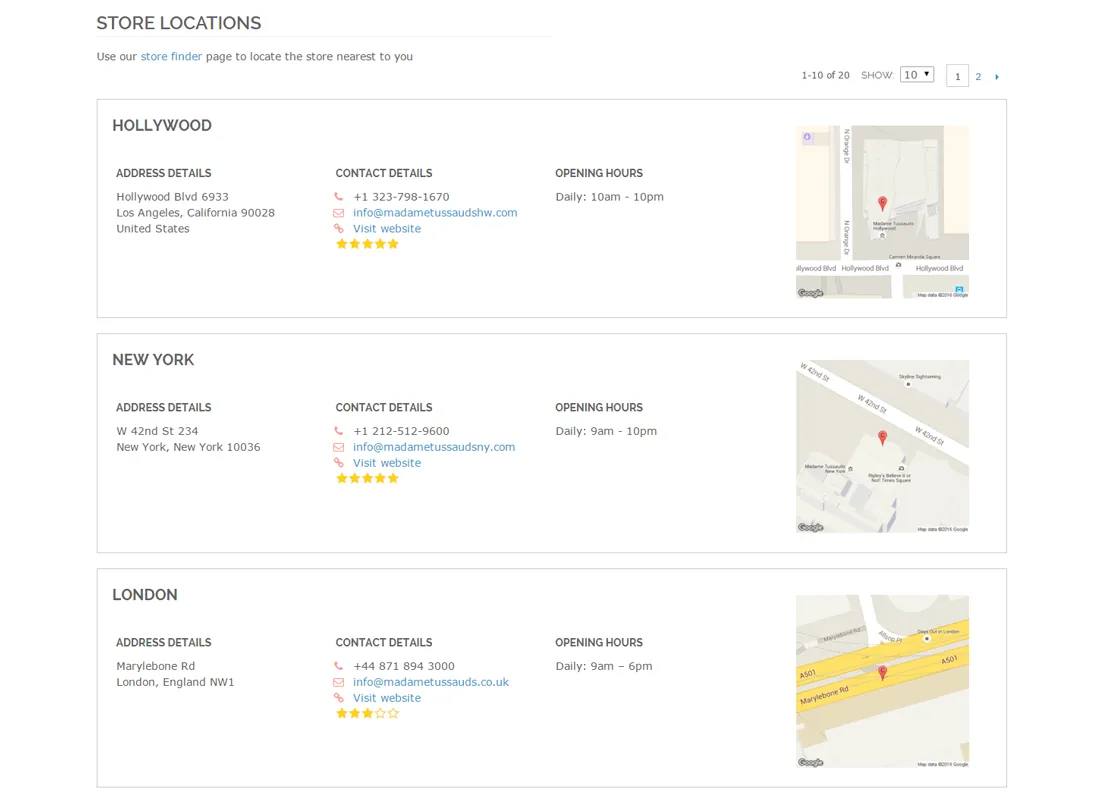
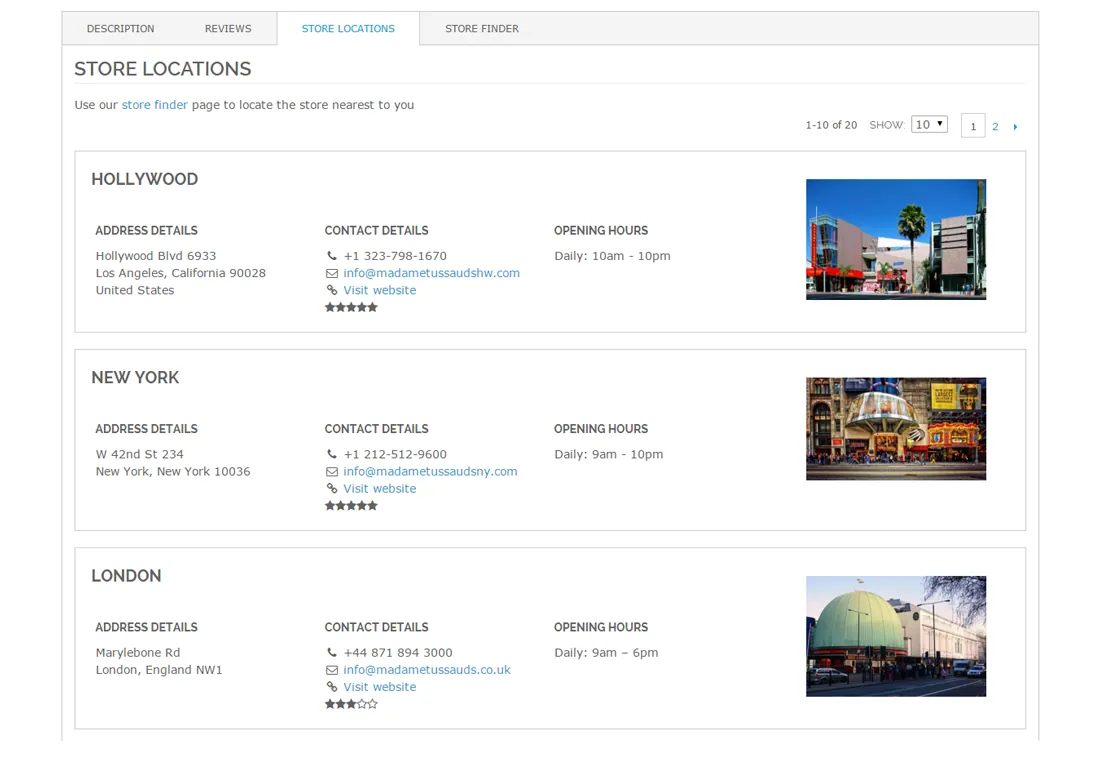
The dedicated store pages are listed in a store locations overview page, enabling customers to quickly browse through the most important store information.
You can choose to show a Google Maps location screenshot in the Store Locations overview or a custom store image as in the example shown.
By selecting one of the listed stores the customer is automatically redirected to the detailed store page. Alternatively, your visitors can use the Store Finder link at the top of the page to directly search for your nearest stores and get directions in the store locator.
Fully responsive store finder & route planner#
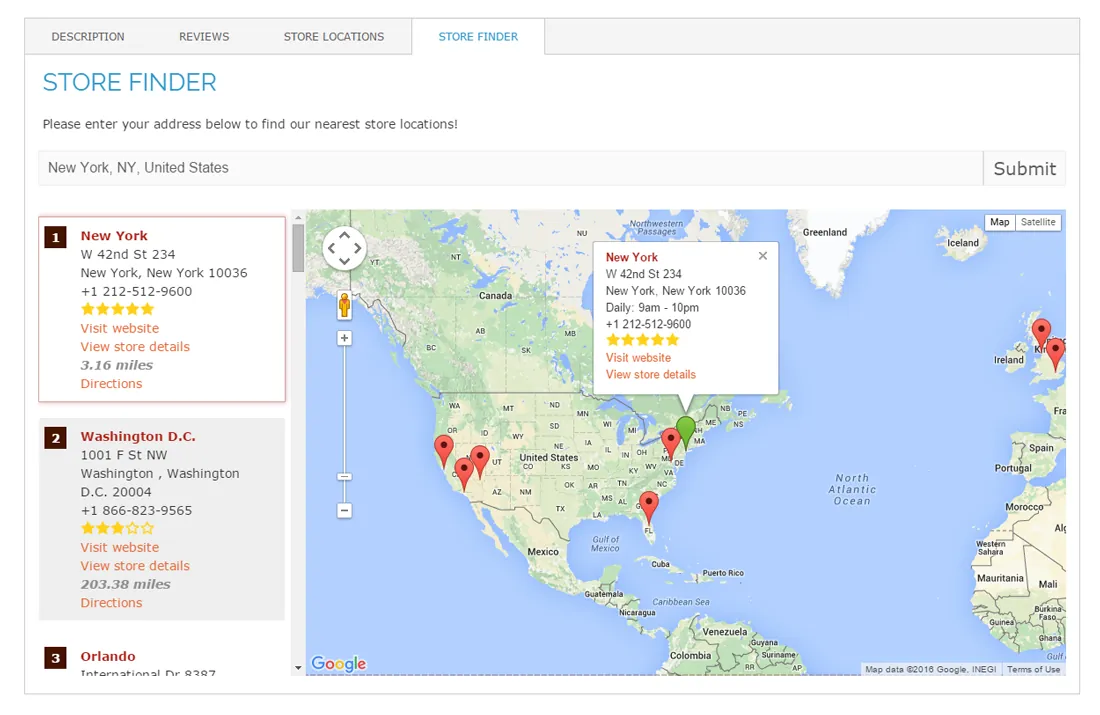
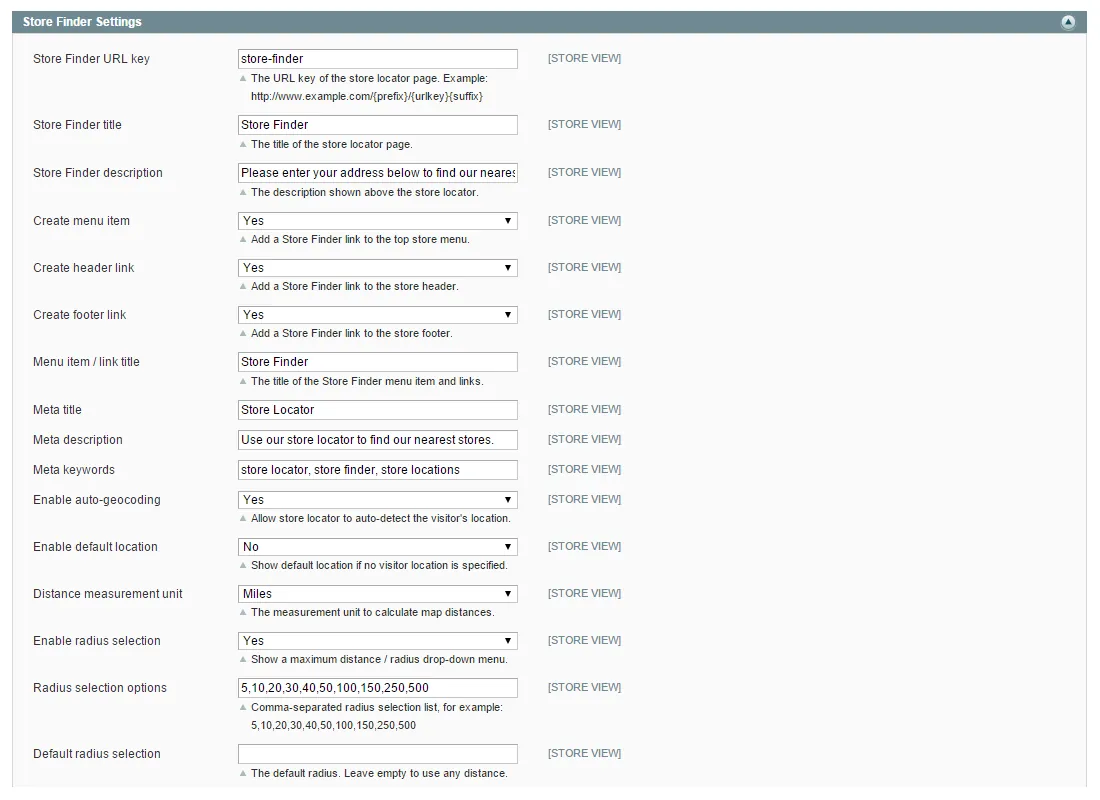
Let customers quickly find your nearest stores with the fully responsive store locator, which includes a address auto-complete feature and optional auto-geocoding.
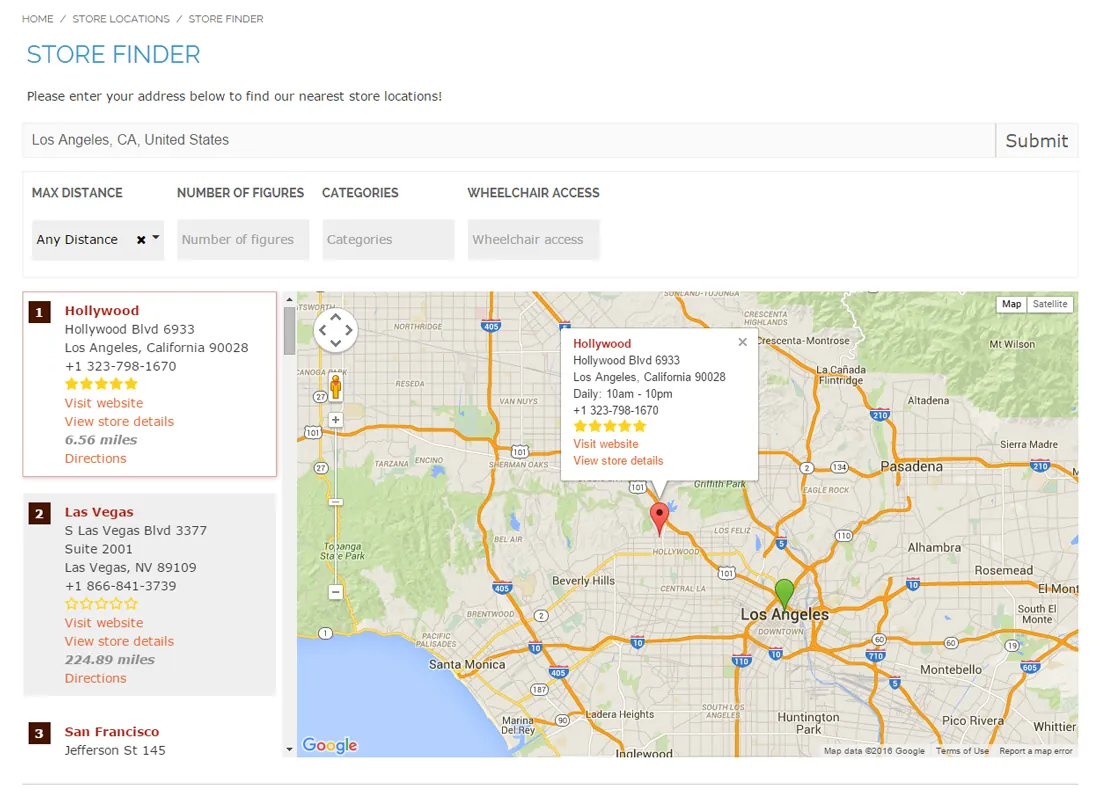
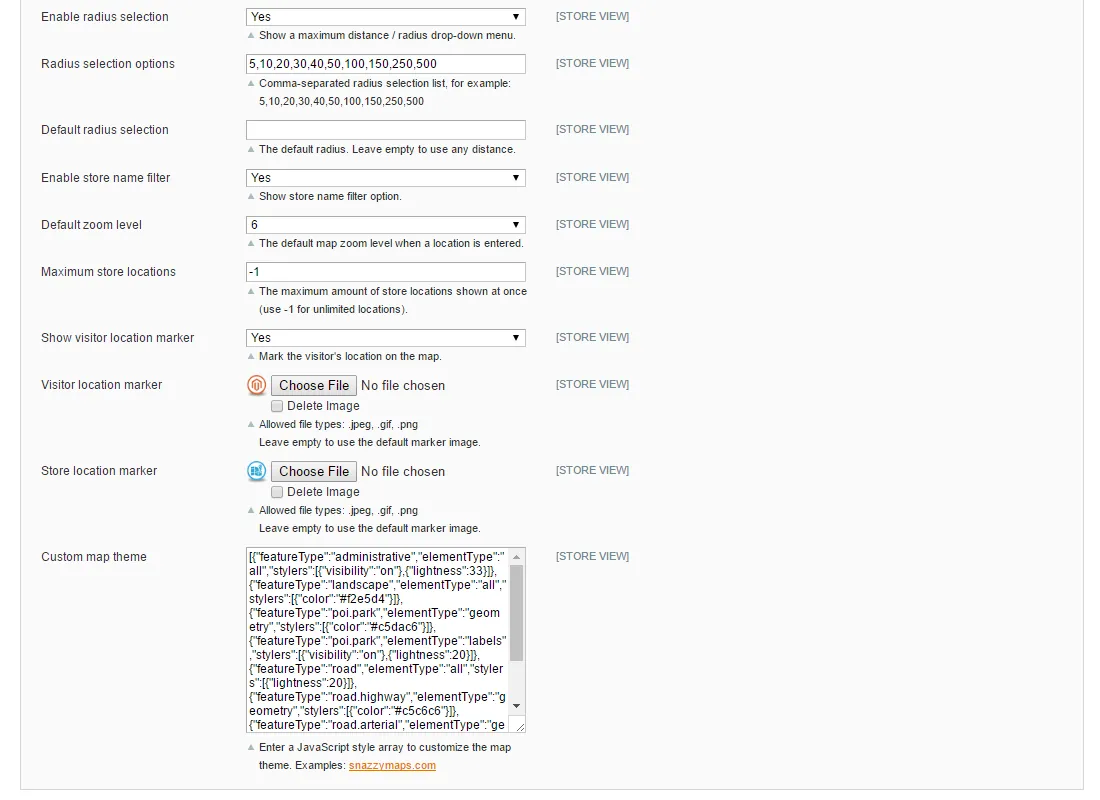
The Google Maps based store finder automatically sorts your locations by distance measured in miles or kilometers. If enabled, customers can also filter your stores by radius and custom store attributes using a tag filter menu.
By selecting a store from the overview, the map automatically zooms in on its location, showing the most important store details and the store page link in a pop-over.
On top of that visitors can use the integrated door-to-door route planner to get instant directions to your stores and view their itinerary directly on the map.
Many store locator customization options#
You can add a custom Google Maps theme and upload your own marker icons, set a default zoom level and define the maximum amount of stores locations shown on the map.
Besides that the store locator can automatically detect the visitor's location, or you can enter a default starting point when no location has been provided.
Store Finder product page integration#
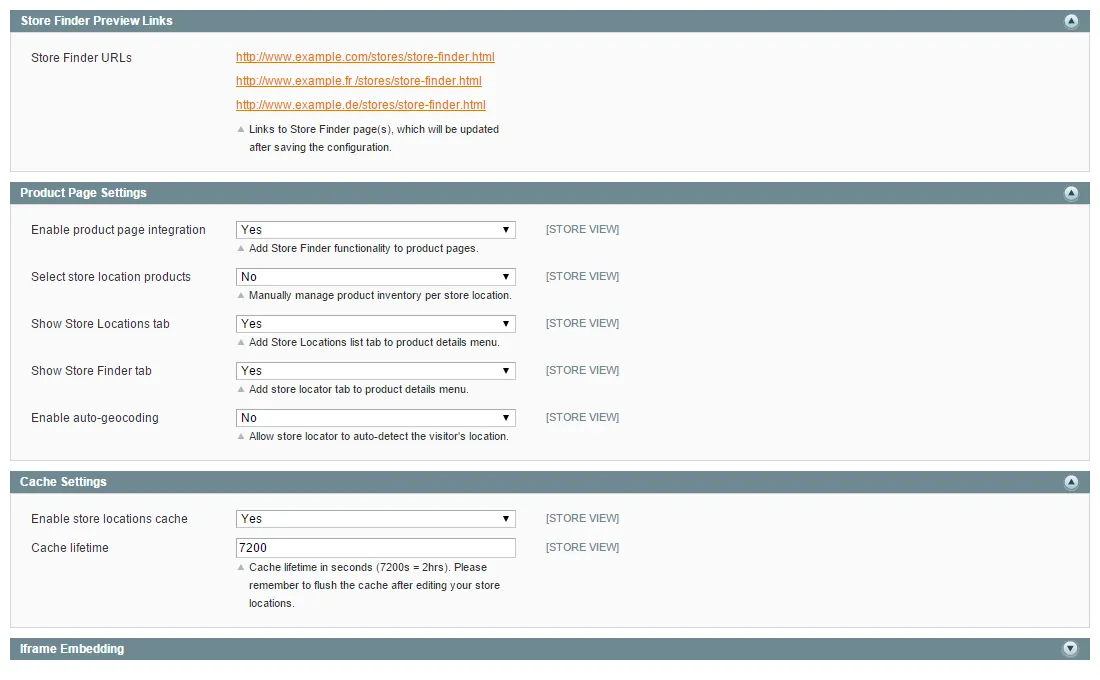
The Magento Store Finder extension also includes an optional product page integration feature, which enables customer to directly find a store location based on its product availability.
You can choose to add a Store Locations and Store Finder tab to the product details menu, automatically showing the store locations that sell the product.
The product inventory of each store location is configured the back-end, or you can choose to make all products available in each store by default.
The integrated Store Locations overview and store locator are fully responsive and allow the customer to quickly switch between the two tabs without reloading the product page.
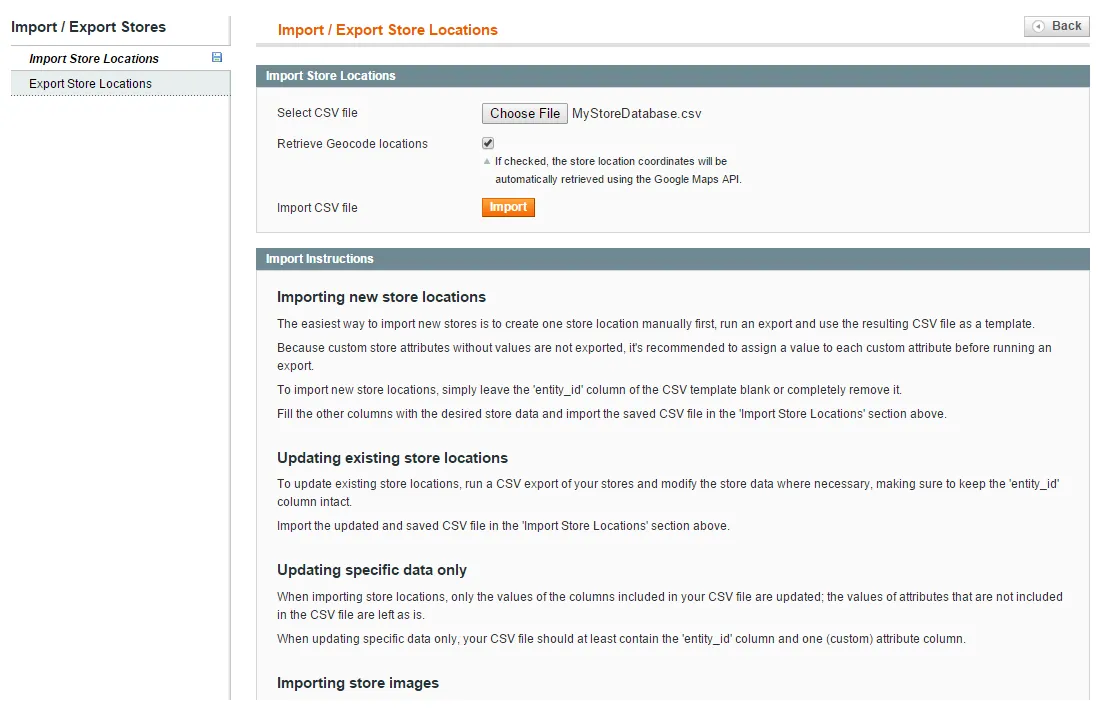
Store location management#
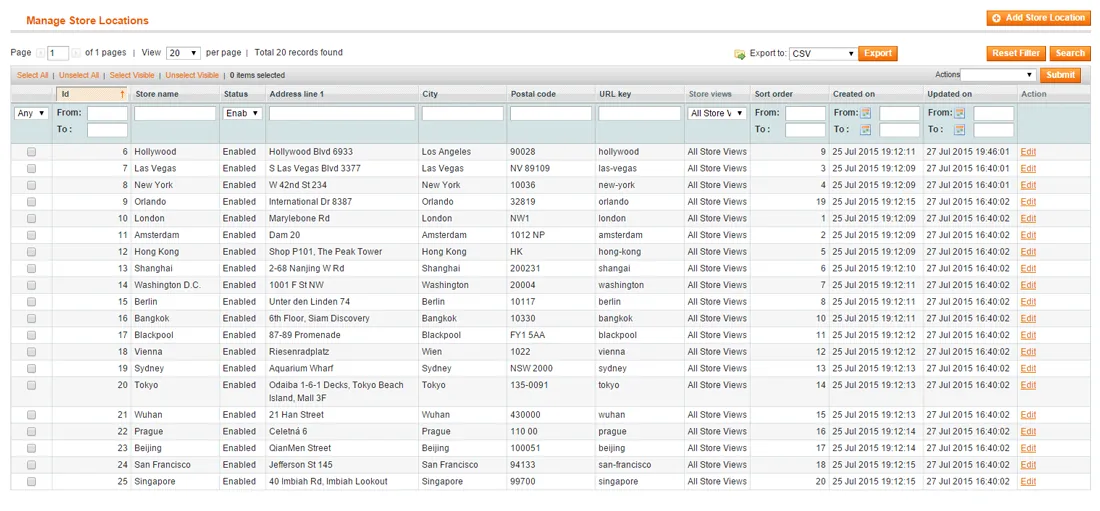
With the extension's CSV import and export functionality you can quickly create or update multiple store locations at once, including custom attributes and uploaded store images.
Documentation
13 pages from the user manual.
Changelog
Release history42 releases, Oct 2014 – Jan 2020
Since 2026Open source
- 1.14.2
Fix for attributes which are disabled for store location view page still being shown on front-end
- 1.14.1
- Fixed JS conflict between PrototypeJS library Array.from() method and Google Maps JS API which caused an issue when trying to use Street View
- Extension now uses quarterly stable release of Google Maps JS library
- 1.14.0
- Added smooth zoom functionality which makes the map zoom in to a location when it's contained in a store locations cluster and clicked on in the store locations list
- Fixed issue causing infinite page refresh when using the store locator in a product page tab
- 1.13.1
- Fixed WYSIWYG editor functionality for custom attribute textarea fields with editor enabled
- Added support for widget, variable and block shortcodes in custom attribute values
- 1.13.0
Added marker clustering functionality which allows locations close to each other to be grouped in a cluster when the map is zoomed out.
Show 37 older releases
- 1.12.1
Fixed issue where custom store marker wouldn't show when a global custom marker is set
- 1.12.0
New option to use OR filter condition for select attributes instead of AND filter condition
- 1.11.1
Added HTTPS URL support for external store location URLs
- 1.11.0
Added sitemap support for store locations. Store locations are now automatically added when generating a sitemap.
- 1.10.4
Store locations are now also sorted according to the sort order field in the store finder. (This is only applicable on page load, when no address or location has been entered by the user on the front-end)
- 1.10.3
Fixed ACL permissions for store locations cache flush button
- 1.10.2
- Fixed issue where address picker didn't work in admin area when tab was opened by form validation
- Fixed issue causing custom attributes not to be saved when creating new store location
- Removed browser autocomplete from addess picker field
- 1.10.1
Added option to change store locations list page title through system config
- 1.10.0
- New option to add multiple custom markers on the store locator page
- New option to display featured stores on top of the list on the store locator page
- Added possibility to add HTML code to the opening hours and store description fields on the store locator page
- 1.9.0
- Added option to pre-select (multi)select attributes using GET parameters
- Added option to pre-fill Store Name search field using GET parameter
- 1.8.3
Minor code changes for Magento Marketplace
- 1.8.2
Added https to store locator URL (if applicable)
- 1.8.1
Fixed issue regarding importing multiple store IDs per store location
- 1.8.0
Added print directions functionality
- 1.7.1
- Added possibility to prefill address bar using GET variable
- Fixed address format missing bug
- 1.7.0
- Added preference for default country when entering postal code
- Added possibility to disable extension per store view
- 1.6.1
- Fixed directions API issue
- Fixed caching issue during export in some Magento installations
- 1.6.0
- Added store location name filter to Google Maps store locator page
- Store comments tab in front-end customer account is now hidden if comments are disabled
- 1.5.4
Fixed compatibility with some third party extensions
- 1.5.3
Fixed URL issue when store code is added
- 1.5.2
Fixed installer issue
- 1.5.1
- Fixed issue regarding specific attribute labels
- Updated translate CSV file
- 1.5.0
- Added option to enable custom attributes per store view
- When no store locations are found, customer location is now shown by default
- Fixed radius / maximum distance dropdown visibility issue
- Added translation strings
- Fixed store importing issue
- 1.4.3
Added option to enter Google API key
- 1.4.2
- Opening hours and contact details are hidden on the front-end if not available
- Updated jQuery version
- 1.4.1
Added translation support to all front-end pages
- 1.4.0
- Added Store Finder product page integration functionality
- Added option to manage product inventory per store location
- Updated store locator with latest Google Maps library
- Fixed store locator filter bug
- Added config options for the radius selection filter
- Added options to configure the default map location, zoom level and maximum amount of store locations
- Added options to add custom map themes and upload marker icons
- Added config options for the Store Locations page filter
- 1.3.1
Fixed store count / pagination bug on store locations overview page
- 1.3.0
- Added review functionality with star rating to store comments
- Added option to add Store Finder header and footer links
- Added store location caching options
- Fixed semicolon bug when no region is specified for some locales
- 1.2.2
Fixed minor bug
- 1.2.1
- Fixed issue with https enabled webshops
- Fixed compilation issue
- 1.2.0
Added Iframe embed option in configuration screen
- 1.1.2
- Added meta title, description and keywords for store finder page
- Fixed meta title, description and keywords for store locations list page
- 1.1.1
Fixed bug
- 1.1.0
- Added custom store attribute functionality
- Added store locations CSV import/export functionality
- Added Google Geocode API to import menu
- Added auto-geocoding and radius selection options for store locator
- Added tag style filter menu to front-end store locator
- Added Font Awesome contact icons
- Improved address formatting
- 1.0.1
- Integrated directions functionality into store locator page
- Improved responsive design
- Improved store locator search bar style
- Added extra config options for store locator page title and description
- Fixed compatibility with latest Google Maps API version
- 1.0.0
First release of Magento Store Finder extension by Plugin Company.
More for Magento 1
-
Search Autocomplete
Instant search suggestions for Magento, served from a pre‑built cache.
-
Custom Contact Forms
Drag‑and-drop contact form builder for Magento 1.
-
Lazy Load Ultimate
Lazy loading of images for faster Magento page loads.
-
Product Page PDF
Lets customers download a PDF version of your Magento product pages.