
Easy Menu for Magento 1
Drag‑and-drop editor for the Magento category menu.
- v1.1.3
- Magento CE 1.4 – 1.9, EE 1.8 – 1.14
- OpenMage
- MIT License
- Released Feb 2019
Features
- Customize the front-end category menu
- Add categories, CMS pages, products and custom links
- Drag-and-drop menu editor
- Insert, move and delete menu items
- Custom menu titles and placeholder items
- Optional URL rewrites for nested menu items
- Automatic update of original menu item titles
- Separate menu per store view, with copy function
- Restore the default menu with one click
Overview
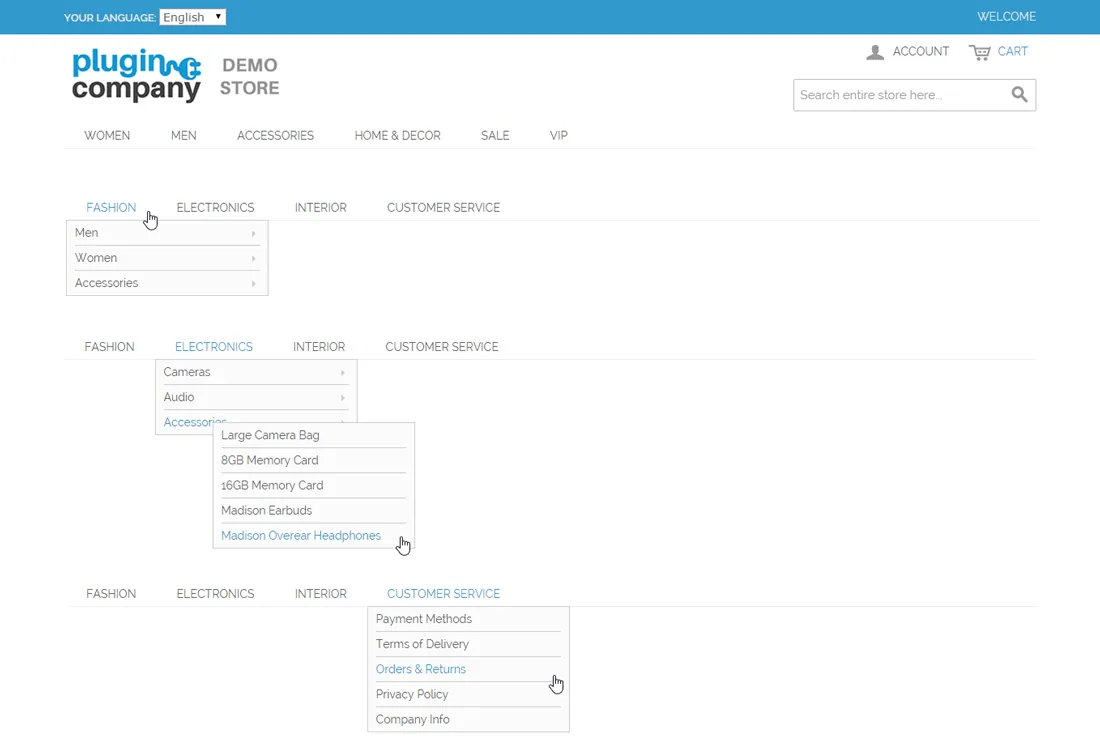
The Easy Menu extension provides a simple solution for customizing the Magento store menu, which by default is reserved for product category navigation.
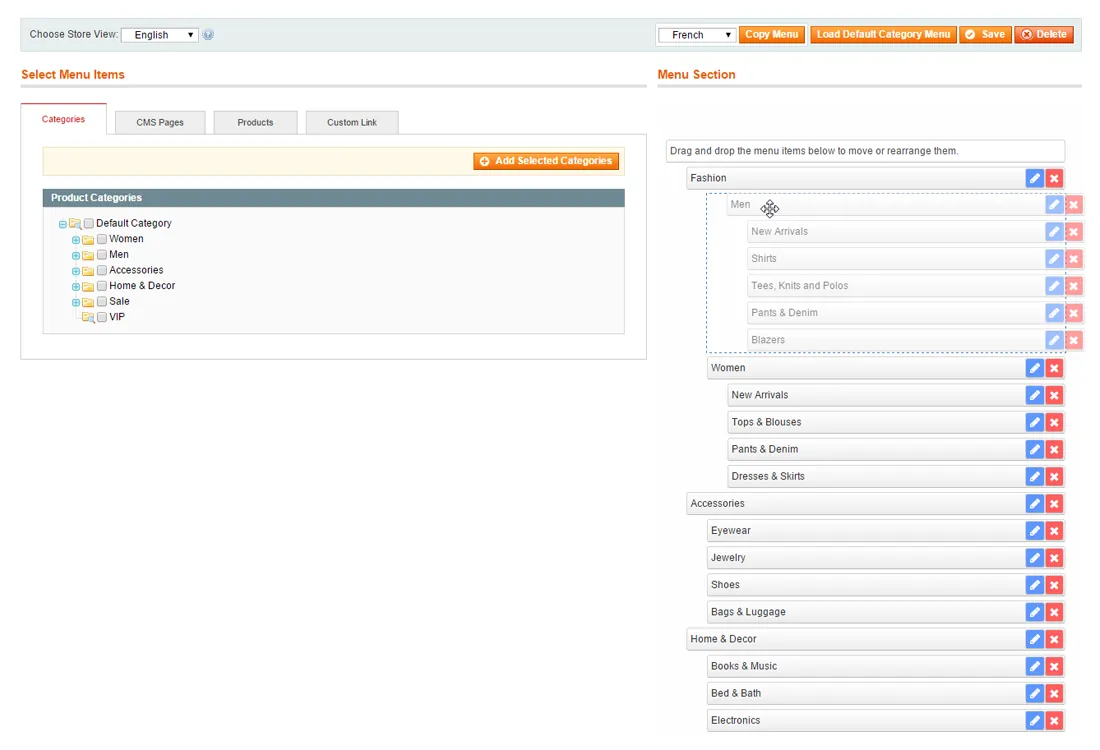
With its drag & drop interface you can safely add, move, edit and delete menu items without any programming knowledge.
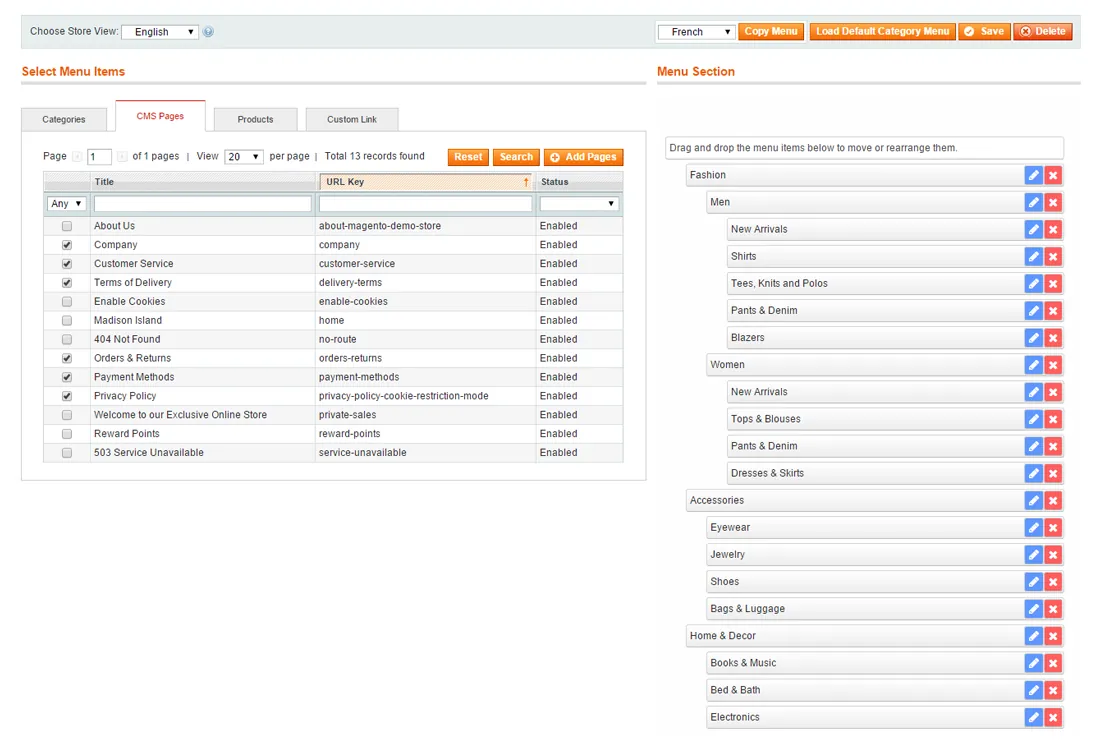
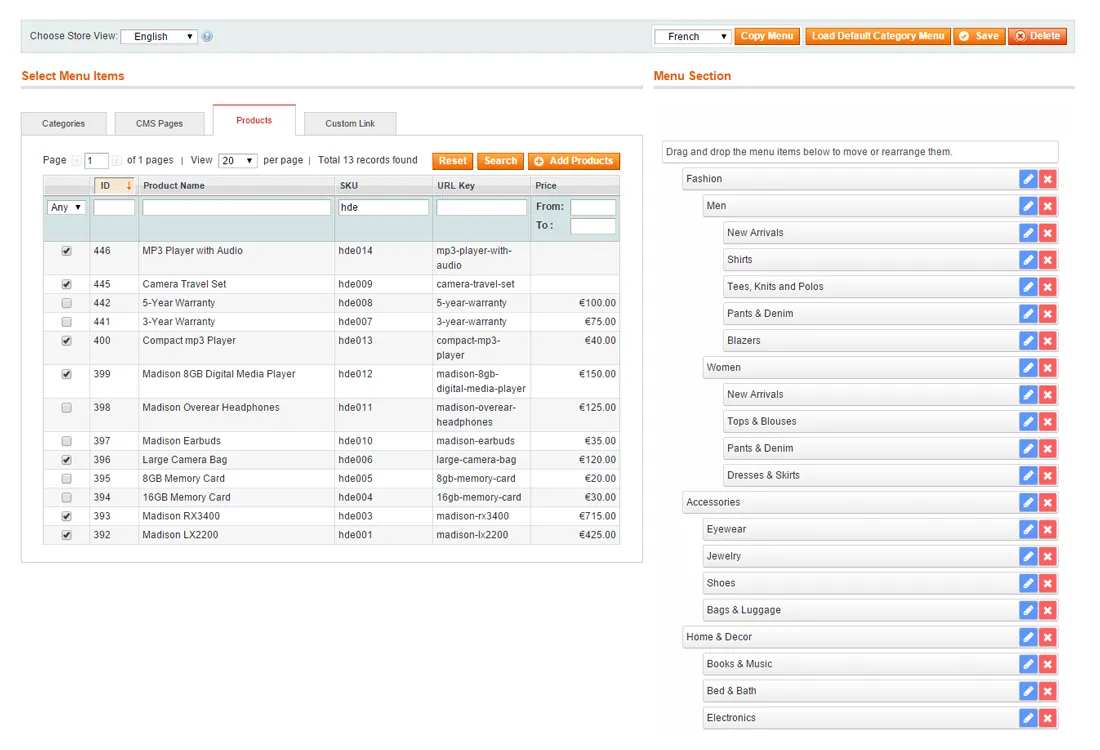
Besides managing your category menu items, the extension also enables you to add CMS pages, products and custom links to your store menu.
Custom store menu items#
By adding custom menu items the plugin can be used to upgrade your default category menu to a multi-functional store navigation tool.
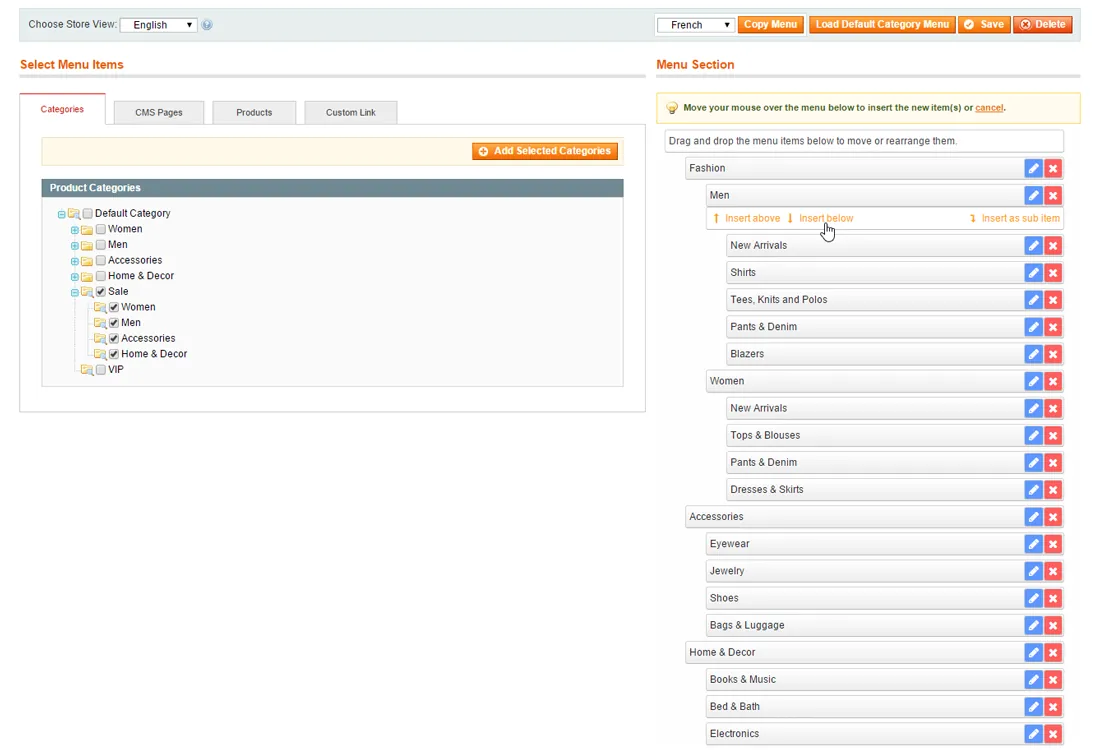
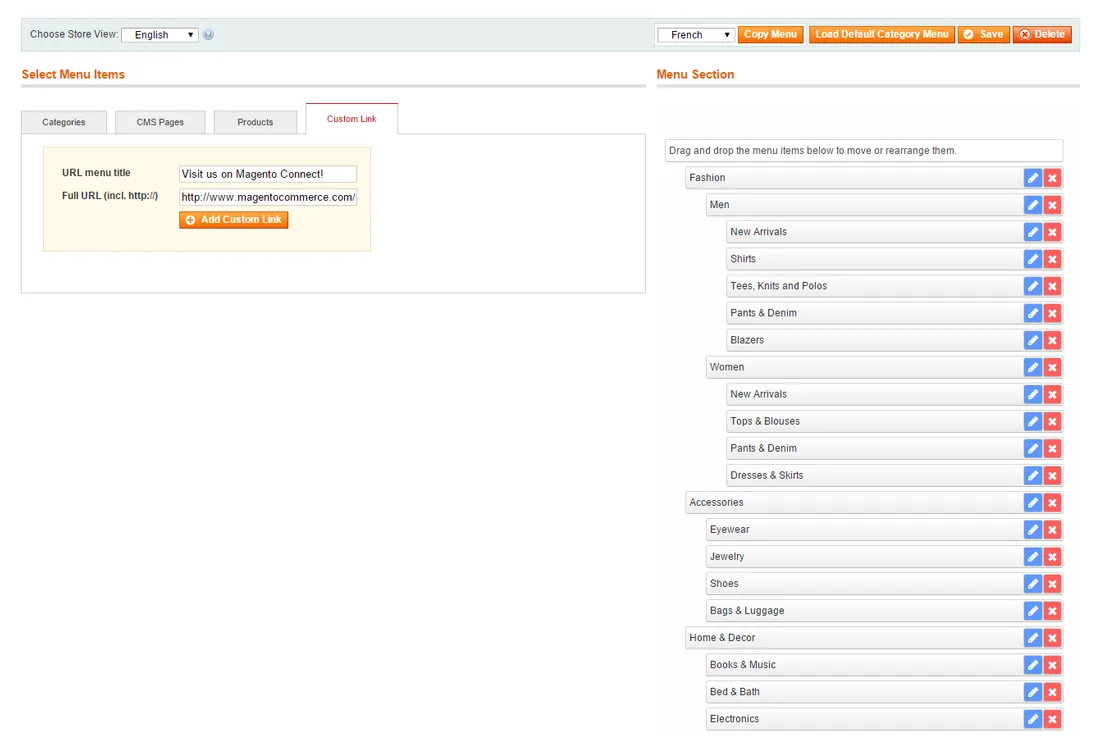
Using the tabs on the left side of the Easy Menu interface you can select any of your store's categories, products or CMS pages and add them to your store menu with just one button click. Besides that you can also insert custom links and placeholder menu items.
Simple drag & drop menu builder#
Using the Magento extension items can be added to your store menu with just one click of a button and removed the same way.
New menu items are added to the drag & drop builder on the right side of the Easy Menu interface by inserting them above, below or as a child of existing menu items.
Once added to the menu, you can move and rearrange menu items by dragging and dropping them on any desired position in the Menu Section. When moving a parent menu item, its sub items are automatically selected and moved as well.
Automatic URL rewrites#
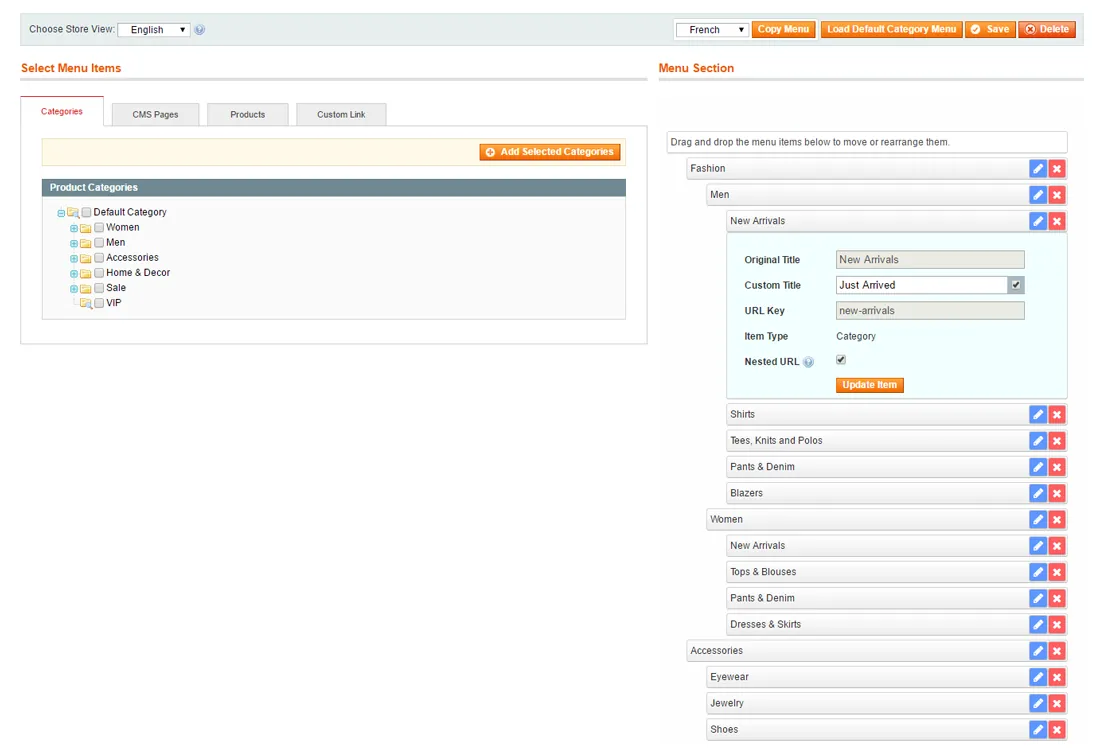
Magento Easy Menu enables you to customize the title of each menu item without having to modify the original category, product or CMS page names in the back-end. If the original title is used, the menu item title is automatically updated with any CMS page, category or product name changes.
Besides that the plugin can automatically create URL rewrites for nested menu items based on your custom store menu hierarchy, while also preserving the item's original URL. In this way you can customize your front-end category menu and improve your store's usability and SEO at the same time.
One-click restore functionality#
If you're running a multi-store webshop in Magento you can separately customize the menu of each store view and copy other store menus using the dropdown at the top of the Easy Menu interface.
On top of that, you can revert back to the default store menu at any time with the extension's one-click restore functionality, enabling you to safely customize your menus without being afraid of messing up your store's main navigation tool.
Documentation
8 pages from the user manual.
Changelog
Release history11 releases, Oct 2014 – Feb 2019
Since 2026Open source
- 1.1.3
- Fixed flat category backend issue
- Fixed issue causing malformed menu item URLs when slash is used as category URL suffix
- 1.1.2
Minor code changes for Magento Marketplace
- 1.1.1
Fixed compatibility with new routing system
- 1.1.0
- Added option to use original or custom menu item title
- Original menu item titles are automatically updated when a CMS page, category or product title is changed
- Original menu item titles are adjusted / translated automatically when copied to different store view
- 1.0.6
Fixed table prefix issue
Show 6 older releases
- 1.0.5
Fixed CMS page store filter bug
- 1.0.4
- Fixed mobile menu drop-down for RWD theme
- Fixed direct link URL issue
- 1.0.3
Fixed ACL permissions bug
- 1.0.2
- Fixed single store admin bug
- Added cache refresh on menu save
- 1.0.1
- Added new functionality
- Removed select mass action
- Added cancel option for inserting menu items
- 1.0.0
First release of Magento Easy Menu extension by Plugin Company.
More for Magento 1
-
Custom Contact Forms
Drag‑and-drop contact form builder for Magento 1.
-
Syntax Highlighter
Syntax highlighting for HTML, CSS and JavaScript in the Magento admin.
-
CMS Revisions
Version control for Magento CMS pages and blocks.
-
Product Attribute Revisions
Revision history for Magento product attributes, with restore.