
Fraud Prevention for Magento 2
Blacklisting rules that detect and block fraudulent orders in Magento 2.
- v100.4.6
- Magento 2.1 – 2.4
- PHP 5.6 – 8.x
- MIT License
- Released Mar 2023

Features
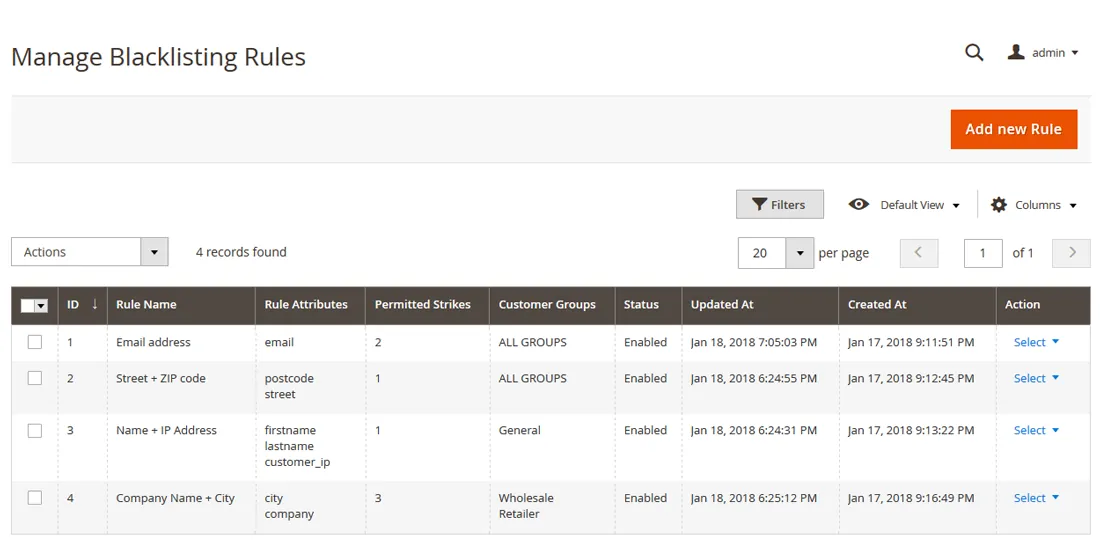
- Custom blacklisting rules based on any combination of customer attributes
- Automatic detection and blacklisting of suspicious orders
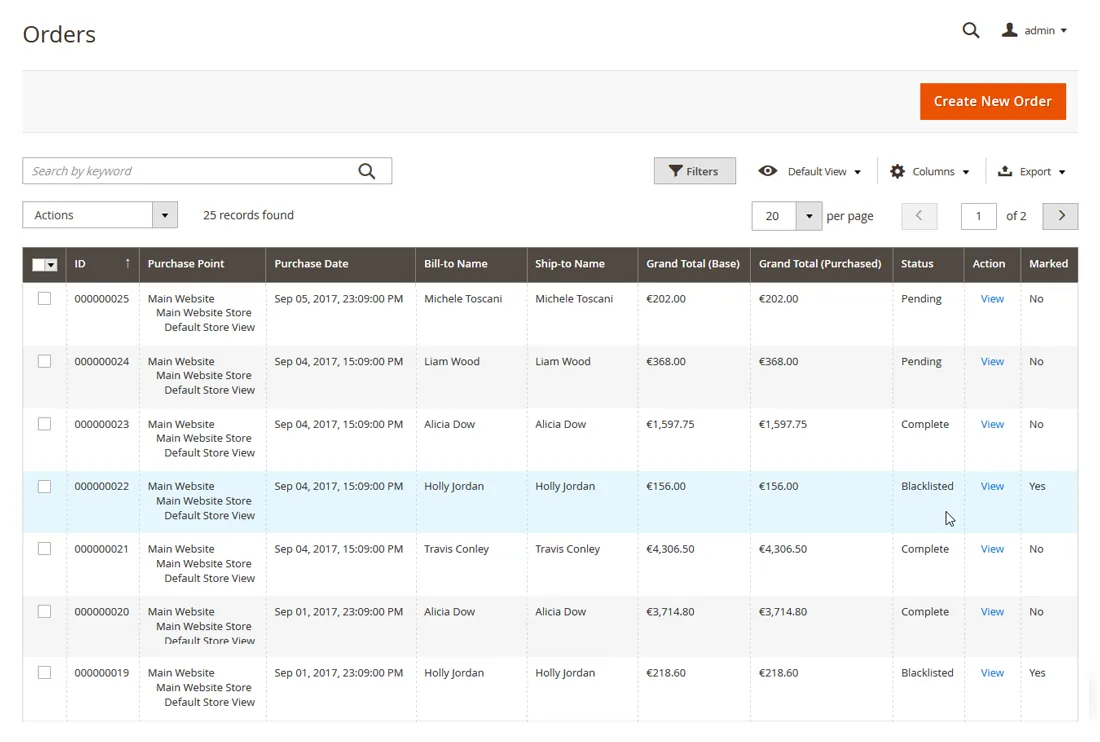
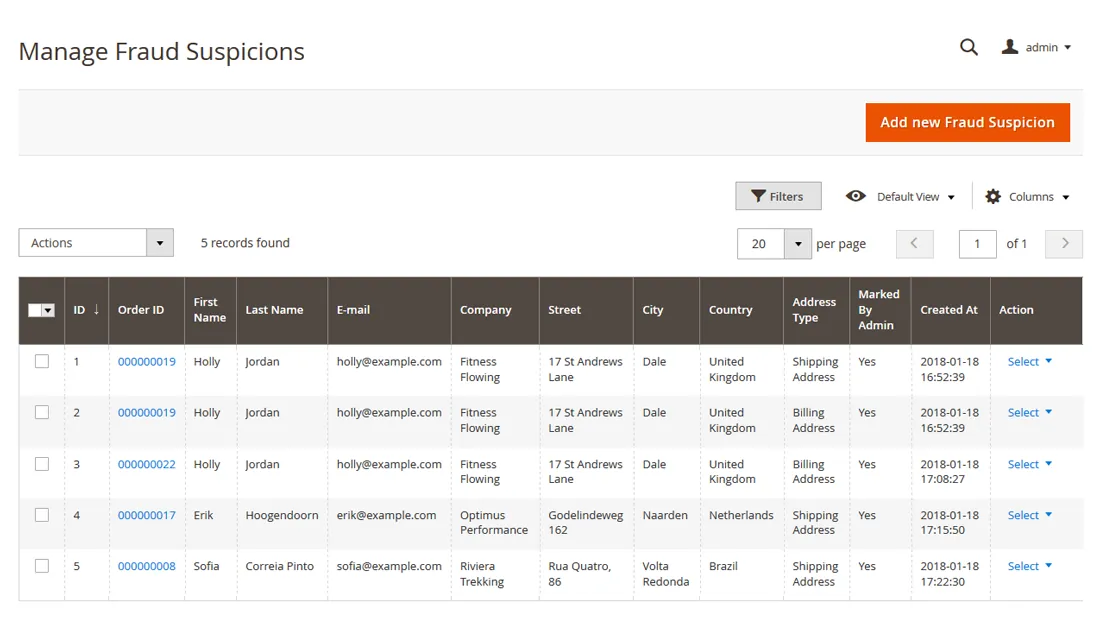
- Manage suspicious and blacklisted orders in the admin
- Block blacklisted orders from being paid and shipped
- Blacklist billing and/or shipping addresses
- Blacklist customer accounts and block guests during checkout
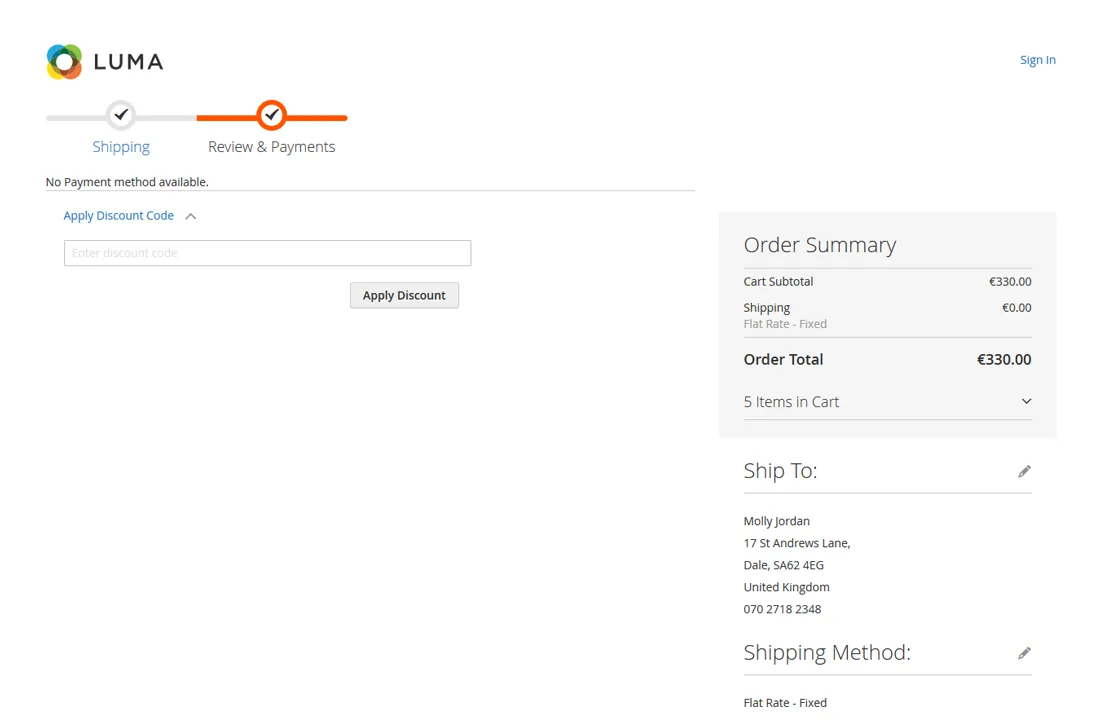
- Hide payment methods for blacklisted customers
- Add fraud strikes for failed payment transactions
- Configurable number of strikes before blacklisting
- Rules per customer group and store view
- Works without third-party fraud services
Overview
With internet fraud being more widespread than ever, all webshops run the risk of being targeted by malicious customers. This often results in profit loss caused by credit card chargebacks and customers claiming back their money, pretending to have never received their order.
Because payment service providers generally rule in favor of the customer when receiving a claim, nine out of ten times the web store owner will get stuck with the bill. Time to stop relying on third parties for fraud prevention and take matters into your own hands with the Fraud Prevention plugin for Magento 2.
Simple fraud suspicion management#
Fraud Prevention provides a simple but efficient solution to minimize fraud independently and directly in the Magento 2 Admin Panel.
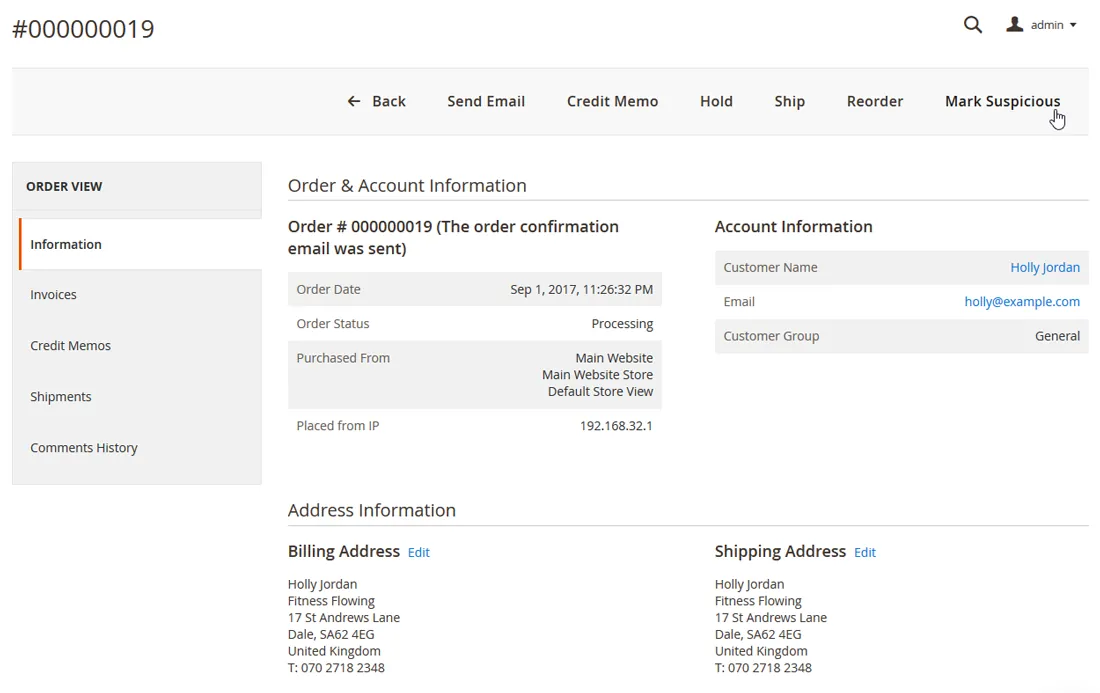
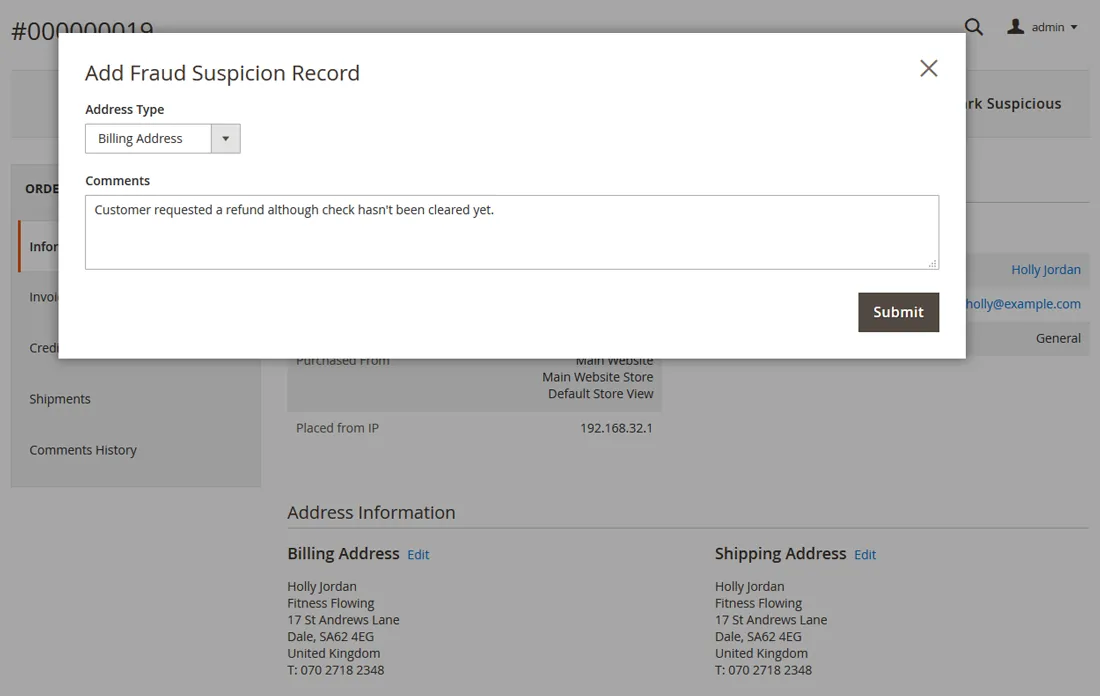
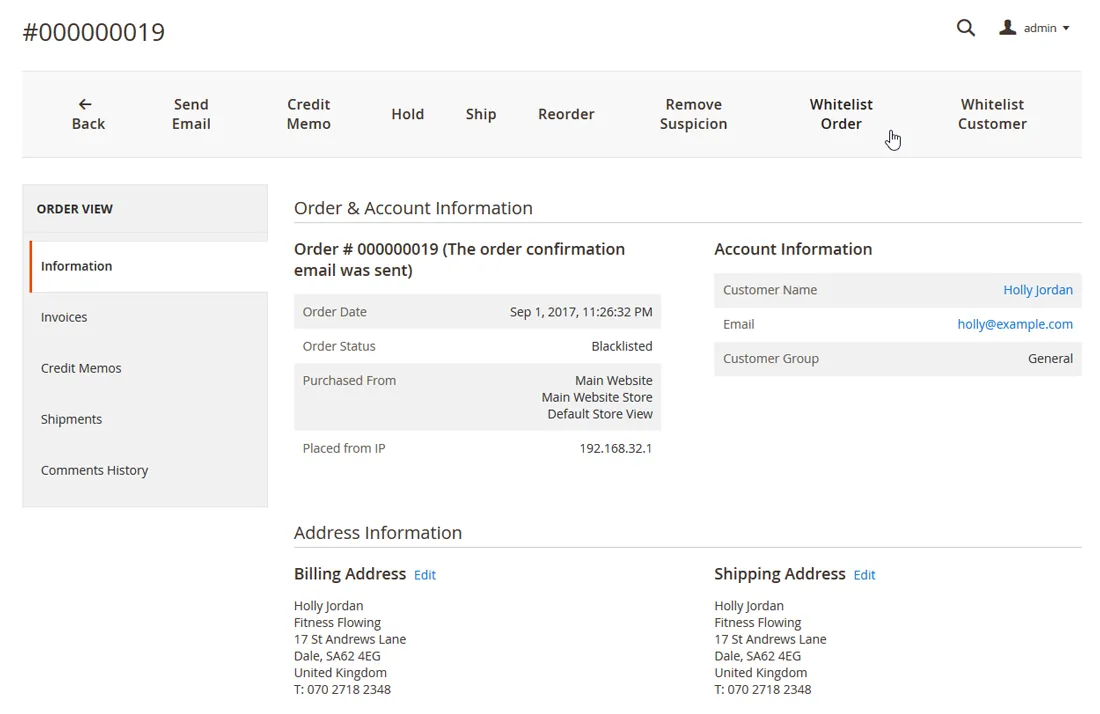
When coming across a sales order that hasn't been paid or that needs to be refunded due to questionable reasons, you can simply mark it as suspicious in the back-end to create a fraud suspicion record.
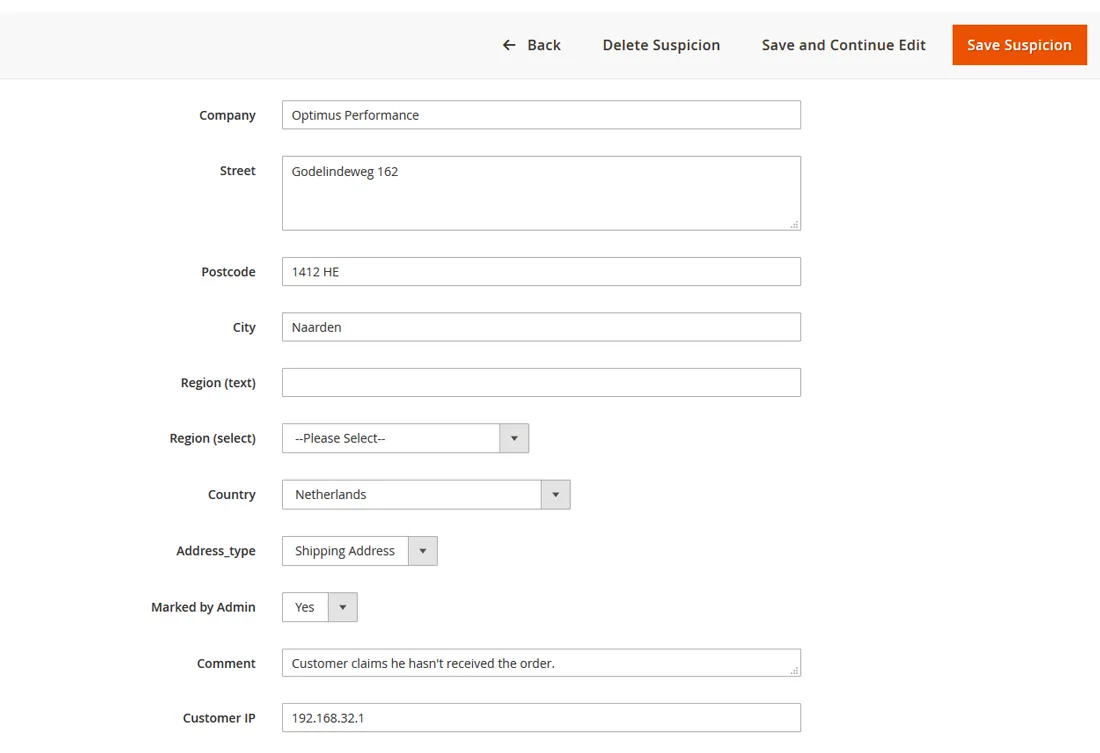
This record includes various customer attributes and serves as a reference to automatically detect future fraudulent orders and prevent them from being processed.
Custom blacklisting rules#
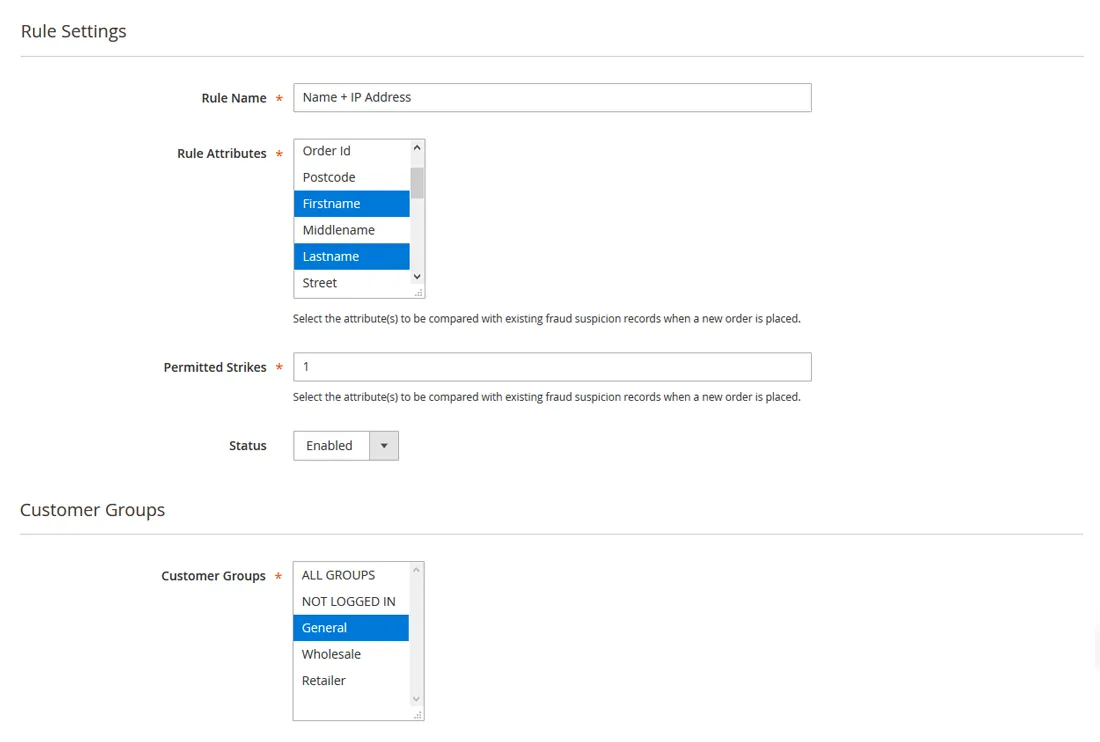
The extension enables you to create custom blacklisting rules based on any customer attribute combination, such as name, address, ZIP code, email address / domain and IP address.
Each time a new order is placed, these rule attributes are compared with your fraud suspicion database. If a match is found, the fraudulent order is automatically blacklisted and blocked for shipping, so you don't have to worry about losing your merchandise to malevolent customers anymore.
Because the blacklisting rules can be enabled per customer group, you can make sure that trusted customer are automatically excluded from your Fraud Prevention rules.
Read the full description
Automatic fraud detection#
A blacklisting rule will only be triggered if the required amount of 'strikes' or matching fraud suspicion records has been found.
In this way you can prevent that orders are blacklisted after only one fraud suspicion, giving your customers the benefit of the doubt. After all, most of them have only good intentions.
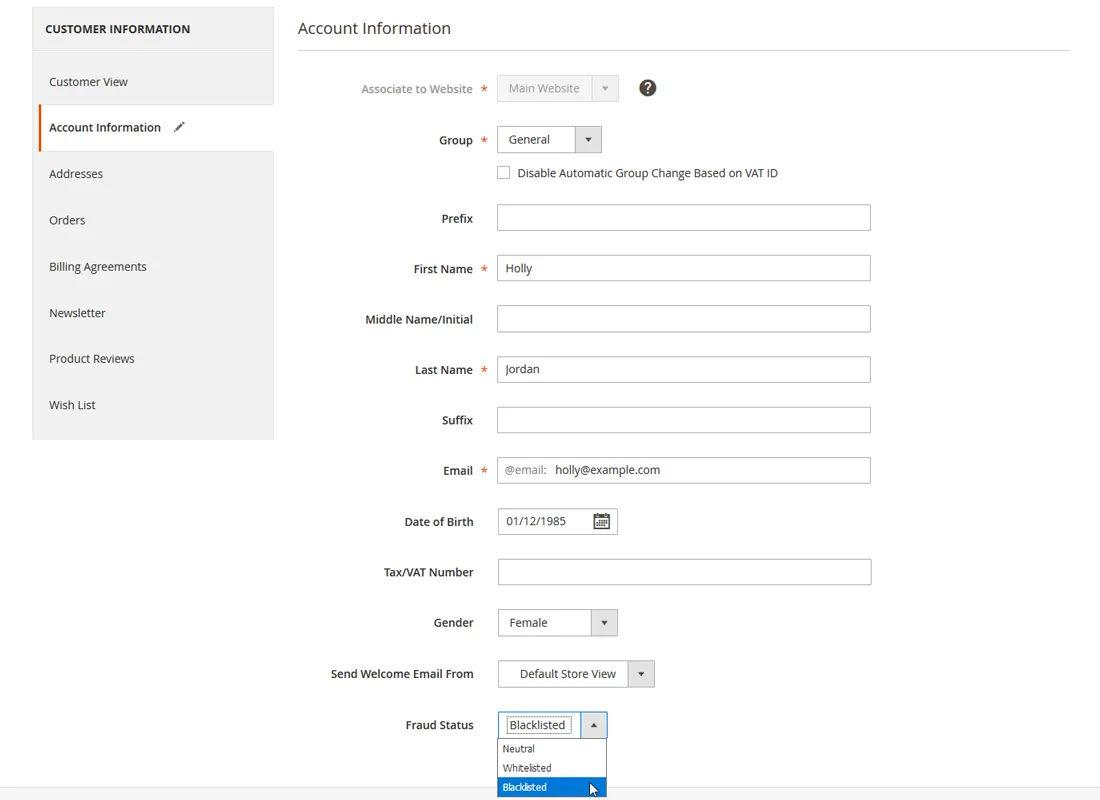
In case a fraud suspicion proves to be unfounded orders can be whitelisted with just one button click, after which they can be processed normally again.
Customer account & guest blacklisting#
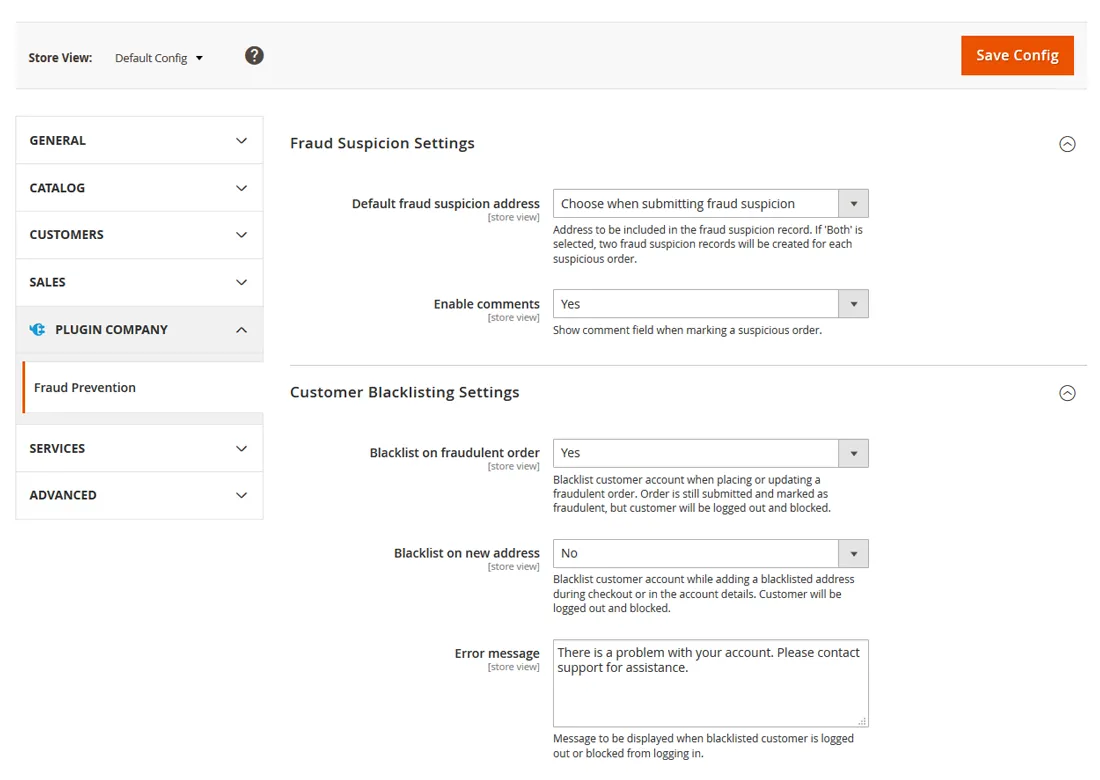
The Magento 2 Fraud Prevention plugin also makes it possible to automatically or manually blacklist customer accounts, after which the blacklisted customer is directly logged out and blocked from logging back in.
Customers can be automatically blacklisted when trying to place or update a fraudulent order, or when adding a blacklisted address in their customer account or during checkout, which can even be used to block guests visitors.
If a blacklisting rule is triggered during checkout, the shopping cart will be emptied and all billing details deleted, discouraging both customers and guests to place a fraudulent order again.
Blocked payment processing#
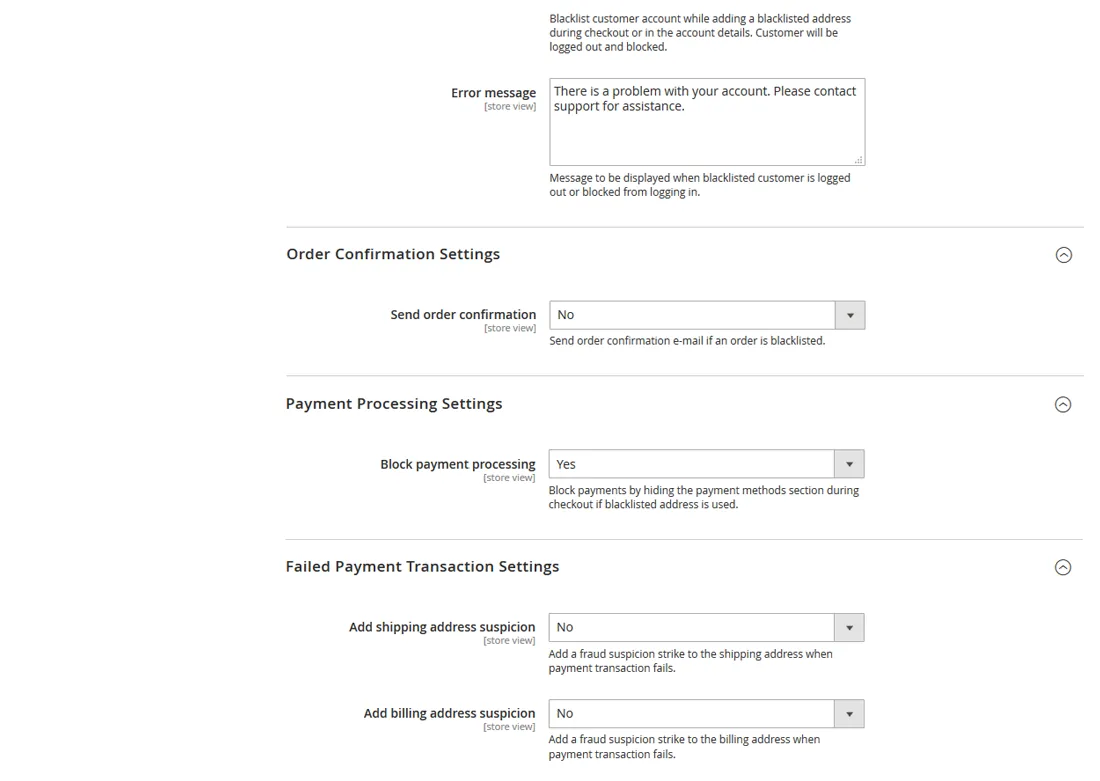
Another option to protect your business from unwanted credit card chargebacks is to block payment processing during checkout by hiding the payment information section if a blacklisted address is used.
Besides that you can prevent fraudulent orders by automatically adding a fraud suspicion strike to the customers billing and/or shipping address when a payment transaction fails.
Documentation
9 pages from the user manual.
Changelog
Release history24 releases, Jan 2018 – Mar 2023
Since 2026Open source
- 100.4.6
- Added form validation to blacklisting rule strikes field, which now requires a number greater than zero as value.
- If strikes value is set to 0, it's now treated as 1. This fixes an issue which caused blacklisting rules to be triggered if strikes is set to 0, even though no matching fraud records were present.
- 100.4.5
Fixed issue which caused disabled blacklisting rules to still be applied during checkout
- 100.4.4
Fix for updating or installing using composer: Changed license manager dependency version constraint to latest version. (Latest version supports PHP 8.x.)
- 100.4.3
Validated Magento 2.4.4 and PHP 8.1 compatibility. Updated composer.json file accordingly.
- 100.4.2
Fixed issue which caused customer grid CSV export to break
Show 19 older releases
- 100.4.1
Fixed admin area ACL rules issue: Added support for fine grained access control.
- 100.4.0
Added feature which allows disabling specific payment methods when a (suspected) fraudulent address is used during checkout
- 100.3.4
- Blacklisting rules now only use Region field as opposed to both Region and Region ID.
- Fraud Suspicion Records now only use one Region field and value of Region ID field is automatically copied to this field.
- Fixed problem which in some cases caused false positives when manually created Fraud Suspicion Records have only 1 or 2 fields filled in.
- Fixed issue causing billing address Fraud Suspicion weight to be 0 (instant block) when created based on quote address. Issue occurred during checkout and payment transaction failed event.
- Other minor bugfixes / tweaks.
- 100.3.3
- Fixed issue causing customer account screen in admin area to hang for couple of seconds while loading. (Related to Magento core attribute sort order bug)
- Validated compatibility with Magento 2.4 + PHP 7.4
- 100.3.2
- Added e‑mail address validation to admin area fraud record management
- Fixed issue where invalid e‑mail address format caused all orders to be blacklisted when using e‑mail domain rule
- Fixed font CSS conflict with Magento EE / ECE PageBuilder module
- 100.3.1
Fixed "InvalidArgumentException" on Blacklisting Rules and Fraud Record pages in the admin area. Error occurred on Magento 2.3.4 and when Temando_Shipping module is disabled.
- 100.3.0
Added new feature which automatically adds fraud suspicion records based on order status. This can for example be used to add fraud strikes based on new orders with custom 'payment failed' statuses.
- 100.2.4
Fixed Magento 2.3.x admin order grid filtering bug
- 100.2.3
- Fixed postcode normalized field error during checkout
- Added better logging functionality and error catching to prevent checkout from breaking
- 100.2.2
Added missing license configuration to extension
- 100.2.1
Updated license manager dependency version in composer.json
- 100.2.0
- New field normalization feature which allows advanced parsing and comparing of address fields resulting in a better chance to detect fraudulent orders
- Field normalization removes unnecessary characters from each field and converts special characters which prevents fraudsters from adding new orders with a slightly different address, for example with a space or comma added to a street line
- Added feature to only compare last xx digits of phone and fax, which helps matching fraudulent phone numbers with and without country / region prefix
- Added excluded e‑mail domains field in system configuration, which allows the admin to exclude specific e‑mail domains from being used by blacklisting rules. This prevents generic e‑mail domains like for example gmail.com to be blacklisted accidentally
- Fixed compatibility with some infinite scrolling and other AJAX content extensions.
- Customer / Guest logout functionality AJAX content fix
- Fixed issue where whitelisting order didn't revert to previous order status correctly
- Other minor bug fixes and code improvements
- 100.0.6
Removed duplicate dependency injection for Magento 2.1.x
- 100.0.5
- Fixed customer IP rule issue
- Removed some legacy code
- 100.0.4
Fixed customer grid reindexing issue due to core bug in Magento 2.2.x
- 100.0.3
Fixed issue which broke the orders grid in admin area customer account
- 100.0.2
- Fixed issue related to order grid column conflict with other extensions
- Updated system.xml
- 100.0.1
- Updated ACL xml file
- Added filter for attributes and customer group columns in rule listing
- 100.0.0
First release of Magento 2 Fraud Prevention extension by Plugin Company.
More for Magento 2
-
Custom Contact Forms
Drag‑and-drop contact form builder for Magento 2.
-
Automatic Customer Group Switching
Moves Magento 2 customers between customer groups based on rules you define.